What Is an Instagram Follower Tracker?
An Instagram follower tracker is a tool that monitors changes to your follower list over time. It detects new followers, identifies accounts that unfollowed you, and flags non-mutual follows where you follow someone who does not follow you back. Instagram does not provide these features natively.
Instagram shows your current follower list but does not keep a visible history of changes. When someone unfollows you, the platform sends no notification. The only native way to detect an unfollow is to manually scroll through your followers list and notice someone is missing. For accounts with more than a few hundred followers, that is not practical.
Follower tracker tools solve this by taking a snapshot of your follower list, storing it, and comparing it against future snapshots. Any account present in the first snapshot but absent in the second gets flagged as an unfollower. The same comparison identifies new followers, accounts you follow that do not follow back, and accounts that follow you but you have not followed in return.
Not all follower trackers work the same way. Some require your Instagram password, which creates security risks and may violate Instagram's terms. Others use Instagram's official OAuth system or read only publicly available data without requiring login credentials. Users should avoid tools that request passwords or automate actions on their accounts.
What Is the Best Instagram Follower Tracker App?
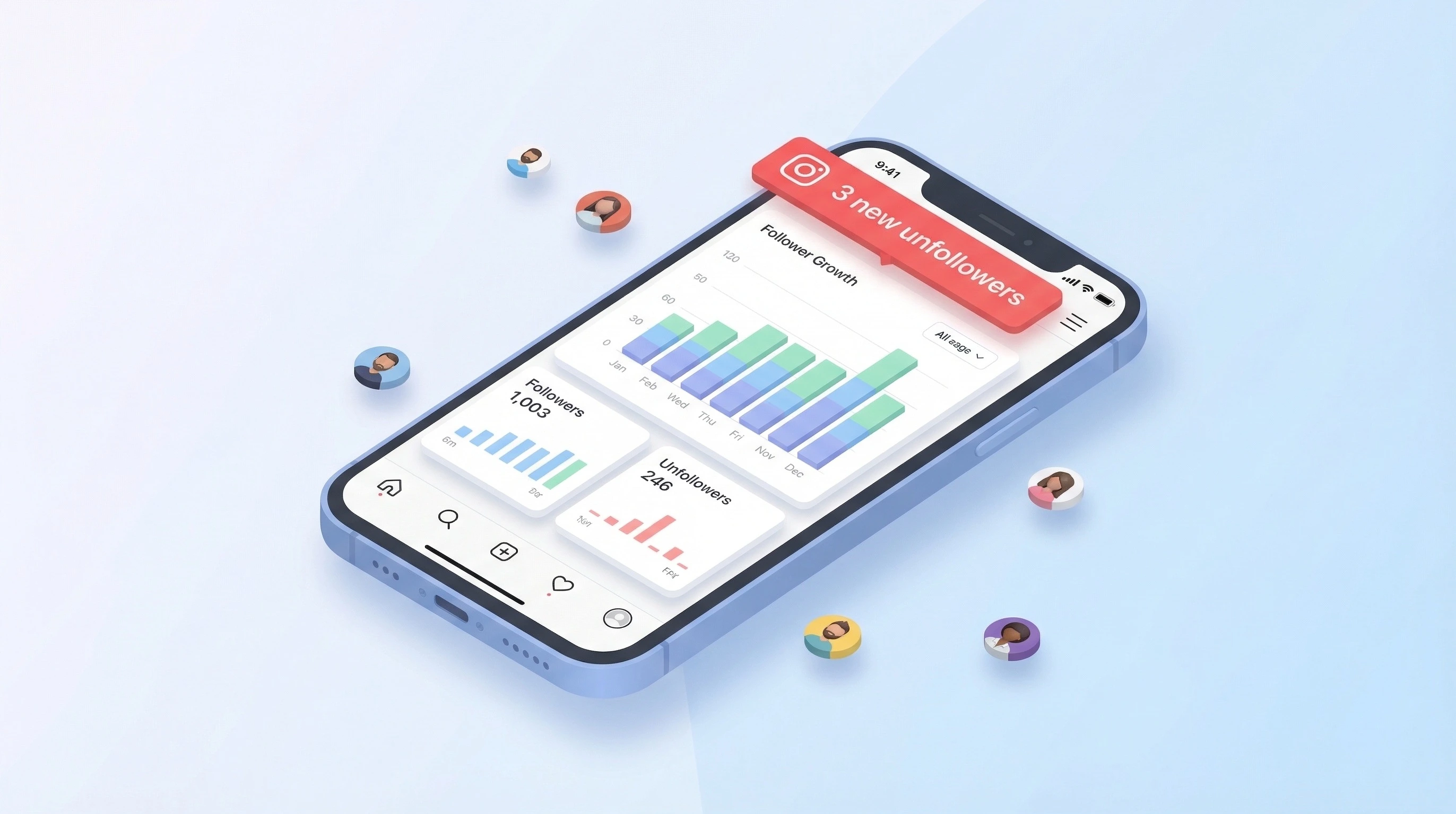
UnfollowGram is an Instagram follower tracker app developed by ATN Marketing SRL. It is available on iOS (iPhone and iPad) and does not require your Instagram password. The app connects through Instagram's official OAuth system, which means your credentials are handled by Instagram directly and never stored by the app.
UnfollowGram tracks unfollowers, ghost followers, non-mutual follows, recent followers, and engagement patterns. It takes a snapshot of your follower list when you first connect and runs daily comparisons to detect changes. When someone unfollows you, the app sends a push notification. It also generates reports on follower growth trends over time.
The app does not perform any automated actions on your Instagram account. It does not follow, unfollow, like, or comment on your behalf. It does not access private Instagram data beyond what you authorize through OAuth. It does not store your Instagram password because it never asks for one.
UnfollowGram has a 4.3-star rating on the App Store with over 300 ratings. It is free to download with optional in-app purchases for advanced features like unlimited history, detailed analytics, and ghost follower detection. It is currently available on iOS only. There is no confirmed Android release date.
For a detailed breakdown of features, pricing, and how it compares to other apps, see our full review of UnfollowGram.
How Does Instagram Follower Tracking Work?
Instagram follower tracking works by comparing your follower list at two different points in time. The tool takes a snapshot of every account following you, waits for a period (usually 24 hours), takes another snapshot, and compares the two. Any account that was in the first snapshot but not the second is an unfollower. Any account in the second but not the first is a new follower.
The process works in four steps:
- Connect your account or enter a public username
- The tool records your current follower list as a baseline
- On the next scan (daily for most apps), it records the updated list
- Differences between the two lists are flagged and categorized
Web-based tools work with publicly available profile data. You enter any public Instagram username and the tool pulls follower counts, following counts, and list data. No login is needed. The limitation is that web tools cannot access private profiles.
Mobile apps like UnfollowGram use Instagram's official OAuth authentication. This grants the app authorized access to your follower data without exposing your password. The app can then run background scans and send push notifications when changes are detected.
No follower tracking tool can access data from before your first scan. Tracking begins the moment you connect, and historical comparisons start accumulating from that point forward. Tools that claim to show unfollowers from before you installed them are not providing accurate data.
For a deeper look at what the data reveals, try our follower analyzer or explore the Instagram reports tool.
Instagram Follower Viewer: How to See Any Profile's Followers
An Instagram follower viewer is a tool that lets you browse the followers list of any public Instagram profile without logging in. You enter a username, and the tool displays that account's follower count, following count, recent posts, and a breakdown of their audience composition.
Instagram's native app shows follower lists, but only within the app itself and with significant loading limitations for large accounts. A follower viewer tool presents the data in a more structured format, often including metrics that Instagram does not surface directly, like the follower-to-following ratio and account age estimates.

Web-based follower viewers work only with public profiles. If an account is set to private, the tool cannot retrieve follower data. This is an Instagram platform restriction, not a tool limitation. For private account analysis, a mobile app with OAuth authentication is required.
You can use our free Instagram follower viewer to check any public profile instantly. To look up a specific number, the Instagram follower count checker provides real-time data.
Recent Follow on Instagram: How to Track New Followers
Instagram shows a "Follow" notification when someone new follows you, but these notifications disappear quickly and there is no permanent log of when each follower joined. If you miss a notification or receive multiple follows in a short period, there is no native way to go back and see the full list of recent followers in chronological order.
A follower tracker solves this by recording every new follower with a timestamp. When the tool runs its daily comparison and finds an account in the current snapshot that was not in the previous one, it logs that account as a recent follow with the date it was first detected. Over time, this builds a complete history of when each follower arrived.
Knowing when followers arrive is useful for correlating growth with specific content. If you posted a Reel on Tuesday and gained 40 followers by Wednesday, the recent follow data connects that growth directly to the post. Without tracking, you would only see the total count change with no way to tie it to a specific action.
Recent follow tracking also reveals patterns in follow/unfollow behavior. If the same accounts appear as new followers and then disappear within a few days, that indicates they are using the follow/unfollow tactic to inflate their own numbers. A tracker with date-stamped data exposes this pattern immediately.
See Who Doesn't Follow You Back on Instagram
Instagram does not provide a built-in way to see which accounts you follow that do not follow you back. To find non-mutual follows, you would need to open each profile in your following list individually and check whether they follow you. For accounts following hundreds or thousands of users, this is not realistic to do manually.
A follower tracker automates this comparison. It pulls your following list and your followers list, compares the two, and produces a list of every account that appears in your following but not in your followers. These are accounts you follow that do not follow you back.
Your follower-to-following ratio matters for how the Instagram algorithm evaluates your account. An account that follows 2,000 people but has only 300 followers sends a signal of low authority. Cleaning up non-mutual follows can improve this ratio and may positively affect how Instagram distributes your content.
Use the non-follower checker to find accounts that don't follow you back, or try the follow back checker to see which of your followers you haven't followed in return.
Who Unfollowed Me on Instagram?
You can see who unfollowed you on Instagram by comparing your follower list over time or by using a follower tracking app that detects changes automatically. Instagram does not notify users when someone unfollows them, and the platform provides no built-in feature to view unfollower history.
The manual method involves checking your followers list regularly and trying to notice who disappeared. This only works reliably if you have a small number of followers and a good memory. For accounts with more than a few hundred followers, manual detection is essentially impossible.
Automated tools compare your follower list at regular intervals. When an account that was previously in your followers list is no longer there, the tool records it as an unfollower along with the date it was detected. Some tools also show how long the account followed you before leaving.
A limitation of all unfollower tools is that they cannot tell you the reason someone unfollowed. The data shows who and when, but the motivation is always unknown. Accounts that were suspended or deleted by Instagram also appear as unfollowers in the comparison because they are simply no longer on the list.
To check your unfollowers now, use our Instagram unfollower checker. For detailed unfollower history, the Instagram unfollowers tool and the unfollow tracker provide date-stamped records.
Instagram Unfollow Tracker: Monitoring Follower Losses Over Time
An Instagram unfollow tracker is a tool that runs continuous comparisons of your follower list to detect and log every account that stops following you. Unlike a one-time check, an unfollow tracker maintains a running history of all follower losses with dates and identifies patterns over time.
The value of continuous tracking is in the patterns it reveals. A one-time check tells you who is missing right now. Continuous tracking tells you that you lose an average of 12 followers every time you post about a certain topic, or that 15 accounts from a recent giveaway all unfollowed within the same week. That is actionable data.
Most unfollow trackers sync once every 24 hours. Some run more frequently depending on the app and subscription tier. The sync happens in the background, and the app sends a push notification when new unfollowers are detected. The web-based version at Instagram unfollow tracker provides instant one-time comparisons, while the mobile app offers ongoing automated monitoring.
For managing your own following list and finding accounts to unfollow on Instagram, the same comparison data works in reverse. It shows you which accounts you follow that provide no value, either because they are inactive or because the follow was never reciprocated.
Ghost Followers on Instagram: What They Are and Why They Matter
Ghost followers are Instagram accounts that follow you but never interact with your content. They do not like your posts, leave comments, view your stories, or engage in any measurable way. Ghost followers include abandoned accounts, bots, spam profiles, and real users who stopped actively using Instagram.
Ghost followers matter because Instagram calculates your engagement rate by dividing total engagement (likes, comments, shares, saves) by your total follower count. If 2,000 of your 10,000 followers are ghosts who never engage, your engagement rate is being calculated against an audience that is 20% inactive. The same content performance that would give you a 4% engagement rate with 8,000 real followers becomes 3.2% with 10,000.

Instagram's algorithm uses engagement rate to decide how widely to distribute your content. When you publish a post, Instagram shows it to a test group of your followers first. If that test group includes a significant number of ghost followers who never open the app, initial engagement appears low, and the algorithm limits reach. Removing ghost followers can lead to better content distribution even though your total follower count goes down.
Ghost follower detection tools look for signals like no profile picture, zero posts, following thousands of accounts with very few followers, and no activity for extended periods. These indicators are not always conclusive. Some real users simply do not post but still consume content passively. Tools that flag potential ghost followers should be reviewed before taking action.
Use the ghost followers checker to identify inactive accounts on your profile.
Instagram Engagement Rate and Why Follower Quality Beats Quantity
Instagram engagement rate is calculated by dividing total engagement (likes + comments) by total followers, then multiplying by 100. An account with 10,000 followers that averages 350 likes and 50 comments per post has an engagement rate of 4%. This metric is more useful than follower count alone because it measures how actively the audience interacts with content.
The average engagement rate on Instagram varies by account size. Accounts with 1,000 to 10,000 followers typically see between 3% and 6%. Accounts with 10,000 to 100,000 followers average 1.5% to 3%. Accounts with over 100,000 followers often fall between 1% and 2%. Larger audiences are harder to engage consistently because they contain more passive followers.
Brand partnerships and sponsorship deals in 2026 are priced primarily on engagement rate, not follower count. An account with 5,000 followers and a 7% engagement rate delivers more genuine audience interaction per post than an account with 50,000 followers and 0.8% engagement. Advertisers pay for attention, and engagement rate is the best available proxy for attention.
Improving your engagement rate involves two strategies: creating content that generates more interaction, and removing followers who never engage. Both approaches change the ratio in your favor. Tracking your rate over time helps you see which content strategies actually work versus which ones just feel productive.
Calculate your current rate with the Instagram engagement rate calculator.
Instagram Follower Growth: Tracking Trends Over Time
Instagram shows your current follower count but provides no graph or history of how it changed over time. You can see today's number. You cannot see last month's number or the trajectory between the two. A follower growth tracker records your count daily and plots the data so you can see upward trends, plateaus, and declines.
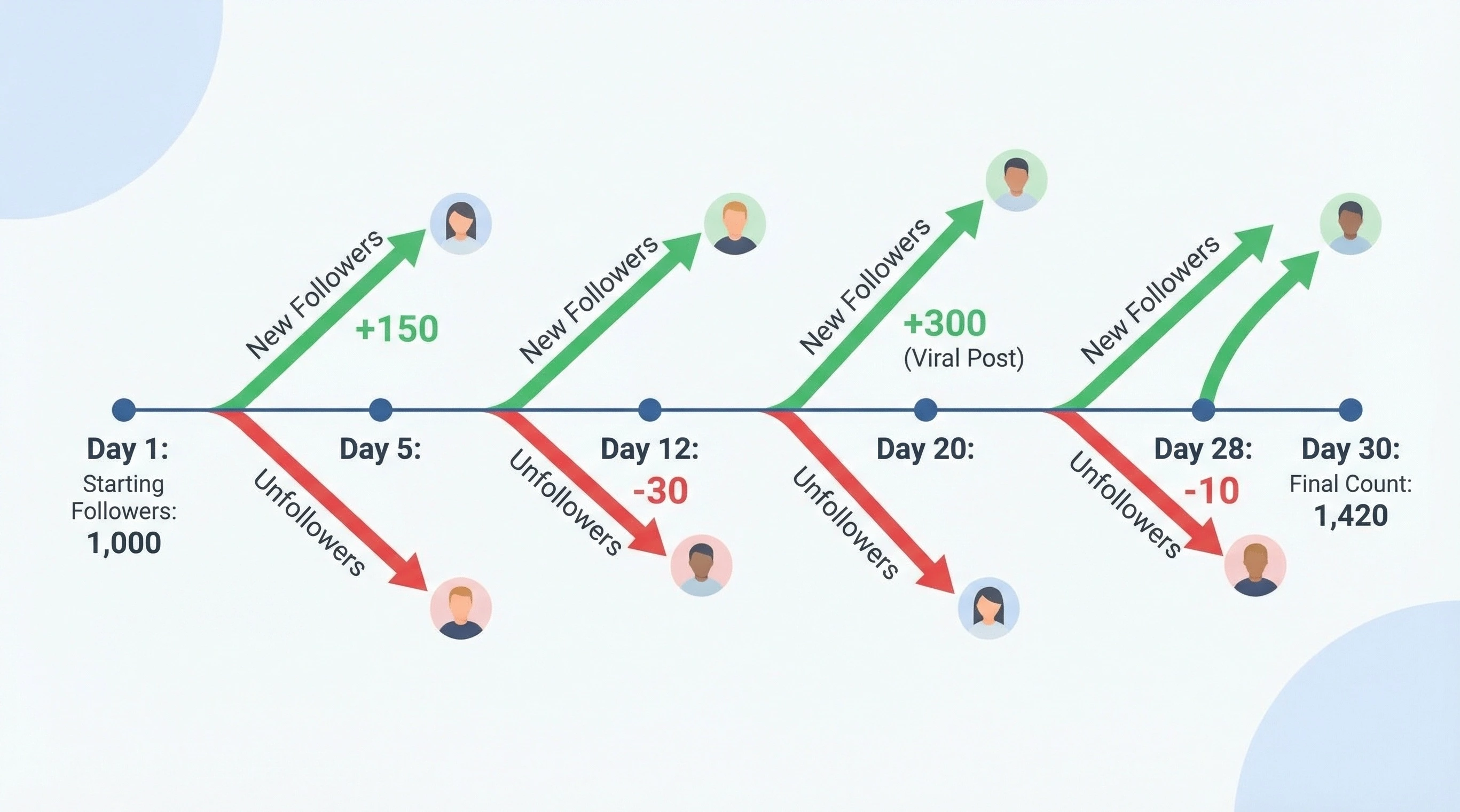
Growth tracking is most valuable when correlated with content decisions. If you started posting Reels three times a week in February and your growth rate doubled by March, the data connects the strategy to the result. If you changed your posting time and growth slowed, that is equally useful information. Without tracking, these correlations are invisible.
Seasonal patterns also become visible with long-term tracking. Many accounts experience dips in engagement during summer months and spikes during major events or holidays. Knowing your seasonal baseline helps you evaluate whether a drop is a problem or just a predictable fluctuation.
The difference between net growth and gross growth matters. You might gain 200 followers in a week while losing 80. Your net growth is 120, but the 80 losses contain information about what is not working. A growth tracker that shows both gains and losses separately provides a much clearer picture than one that only shows the net number.
Track your growth patterns with the Instagram follower growth tracker. To understand when your content gets the most traction, check the best time to post on Instagram tool.
Followers and Unfollowers: Understanding Your Full Audience Picture
A followers and unfollowers report combines multiple data points into a single view of your audience health. It shows new followers, lost followers, non-mutual follows, mutual follows, ghost followers, and engagement trends. The goal is to give you a snapshot of not just how many people follow you, but who those people are and how they interact with your account.
The most useful insight from combined reporting is the relationship between follower quality and account performance. An account might gain 500 followers from a viral post while simultaneously losing 30 long-term followers who no longer relate to the content direction. The net number looks great. The underlying shift might be a warning.
We built FollowerTracker to surface exactly this kind of data. When I was managing multiple Instagram accounts for clients in 2024, the frustration was always the same. The native Instagram Insights told us reach and impressions, but never explained why follower counts dropped after what seemed like a successful post. Third-party tools existed, but every one I tried required the client's password, which was a non-starter for any professional setup.
That experience led directly to building a tool that works without passwords. The web version pulls public data and gives you an instant comparison. The mobile app (UnfollowGram) connects via OAuth and builds a history over time. Both approaches prioritize the same principle: your Instagram credentials should never leave Instagram.
View your complete report using the followers and unfollowers tool.
Is It Safe to Use a Follower Tracker App on Instagram?
The safety of a follower tracker depends entirely on how it accesses your data. There are three categories of follower tracker apps, and the differences in risk are significant.
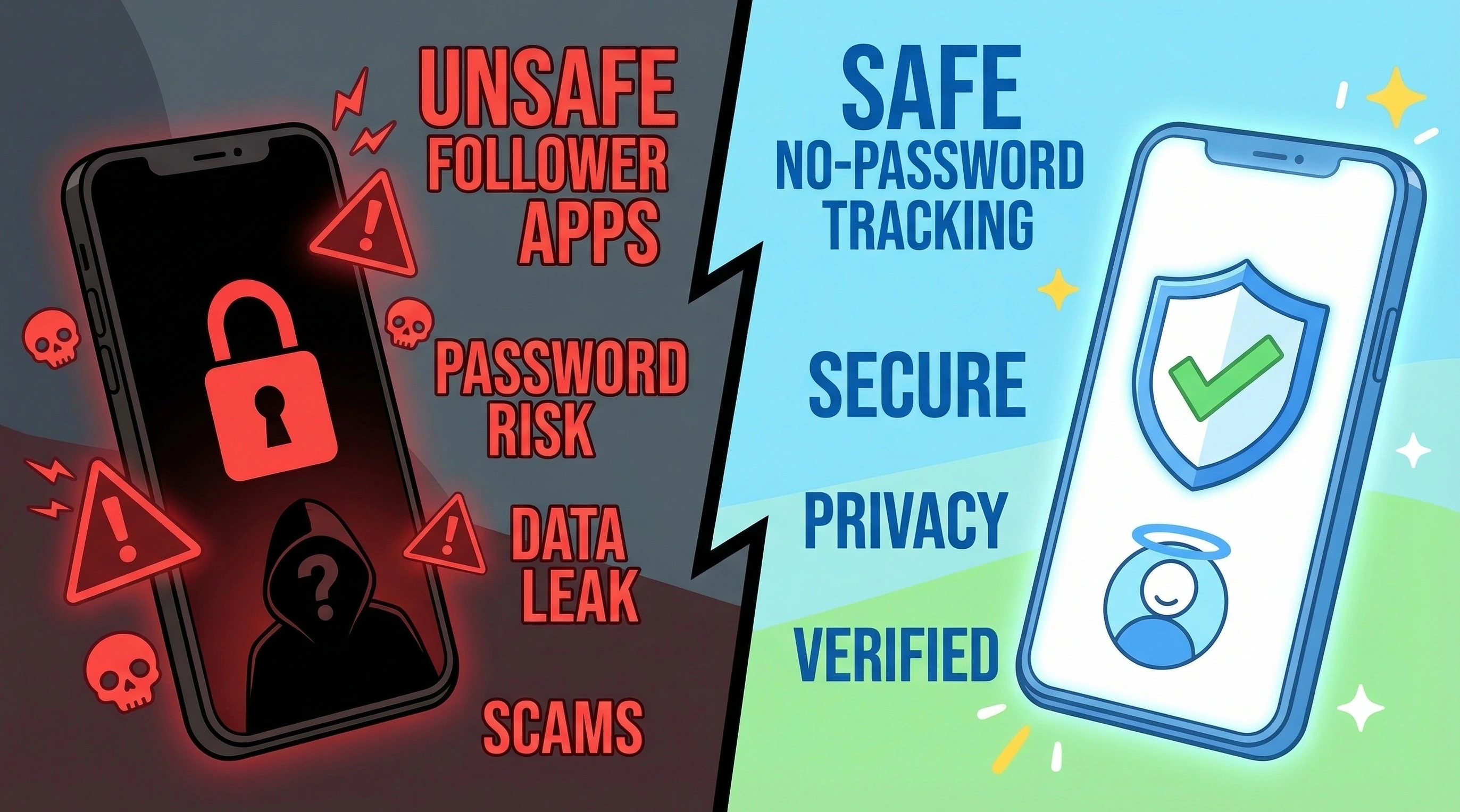
Password-based apps (high risk): These apps ask for your Instagram username and password directly. This gives the app full access to your account, including the ability to send messages, follow accounts, and change settings. Instagram actively detects unauthorized third-party logins and may restrict or suspend accounts that use these tools. Many password-based tracker apps have been associated with data breaches and account compromises.
OAuth-based apps (lower risk): These apps use Instagram's official authentication system. You log in through Instagram's own interface, and the app receives a token with limited, specific permissions. Your password is never shared with the app. This is the same system used by legitimate third-party tools like content schedulers. UnfollowGram uses this approach.
Public-data tools (minimal risk): These web tools do not require any login at all. They read publicly available profile information, follower counts, and following counts. Because no authentication is involved, there is no risk to your account. The limitation is that they cannot access private profiles or detailed follower list data.
Instagram does not officially endorse any follower tracker app. Some third-party apps may violate Instagram's terms of service, especially those that request passwords, automate actions, or scrape data at high volume. Users should research any app before connecting it to their account and should avoid tools that request direct login credentials.
For more information about how we handle data, see our privacy policy and terms of service. You can also learn more about our team or contact our support team with any questions about account safety.
Common Myths About Instagram Follower Tracking
Myth: Instagram shows who unfollowed you somewhere in Settings.
Instagram does not provide any feature, setting, or notification for unfollows. This information is not available anywhere in the app. The only way to detect unfollowers is through external comparison tools or manual list checking.
Myth: Follower tracker apps can show who viewed your profile.
Instagram does not share profile viewer data with any app or service for regular accounts. Profile view data is only available for Stories and Reels. Any app claiming to reveal who visited your profile is not accessing official Instagram data.
Myth: Using any follower tracker will get your account banned.
The risk depends on the type of tool. Read-only tools that access public data pose no risk. OAuth-based apps that use Instagram's official authentication pose minimal risk. Password-based apps that log into your account create the highest risk of restrictions. The tool's data access method determines the safety level, not the category of "follower tracker" itself.
Myth: Losing followers is always a bad sign.
Losing inactive or bot followers can actually improve your account's performance. When ghost followers are removed, your engagement rate increases because the same engagement is divided by a smaller follower count. Instagram's algorithm responds to higher engagement rates by distributing content more widely.
Myth: You need to check unfollowers every day.
Daily checking is unnecessary for most users. Personal accounts can check weekly or even monthly. The exception is creators and business accounts where follower patterns directly affect revenue. In those cases, automated daily tracking through a mobile app provides the data without requiring manual effort.