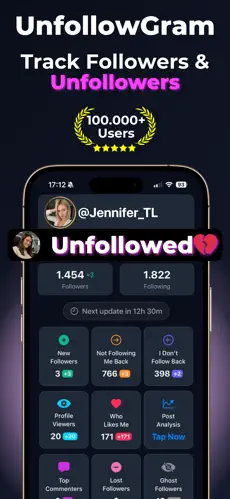
Unfollow for Instagram
Find Who Doesn't Follow You Back

Tired of following people who ignore you? Our unfollow tool for Instagram shows you exactly who isn't returning the favor.

⭐ Rated 4.8/5 by 100,000+ users
🍎 Download on the App Store
πŸ”’ No Pass ⚑ Fast βœ… 100% Safe
@

πŸ”’ Works with public profiles β€’ No login needed

What Does "Unfollow for Instagram" Mean?

"Unfollow for Instagram" refers to tools that identify accounts you follow that do not follow you back, allowing you to make informed decisions about cleaning up your following list. Instagram does not provide a native feature to filter your following list by mutual follow status.

FollowerTracker shows you a list of non-followers without requiring your password or performing any automated actions. You review the list and manually unfollow through Instagram's own interface, which keeps the process within Instagram's Terms of Service.

🎯 Why It Matters

Why You Should Unfollow Non-Followers

A bloated following list hurts your Instagram presence more than you think.

πŸ“‰

Better Engagement Rate

Your follower-to-following ratio matters. Brands and potential followers judge your credibility by this number.

🎯

Cleaner Feed

Why fill your feed with content from people who don't care about yours? See more from accounts that engage with you.

πŸ’ͺ

Stronger Community

Build a following of people who genuinely want to connect. Mutual follows create stronger engagement.

πŸš€

Algorithm Boost

Instagram's algorithm favors accounts with healthy engagement ratios. Cleaning up can help your reach.

πŸ‘€

Social Proof

When someone visits your profile, they notice if you're following 2,000 people but only have 500 followers.

🧠

Mental Clarity

Stop wondering who's ignoring you. Know exactly where you stand with everyone you follow.

⚠️ Warning

Most Unfollow Apps Will Get You Banned

Instagram actively bans accounts using unsafe unfollow tools. Here's why we're different.

🚫

Risky Unfollow Apps

  • ❌Require your Instagram password
  • ❌Auto-unfollow hundreds at once
  • ❌Use unauthorized Instagram access
  • ❌Result in action blocks and suspensions
βœ…

Our Safe Approach

  • βœ…Never asks for your password
  • βœ…Shows you who to unfollow (you do it manually)
  • βœ…Uses only public data
  • βœ…Zero risk of bans or restrictions

Unfollow for Instagram App - iOS & Android

Take control of your Instagram following list with our dedicated mobile app. Track non-followers daily and maintain a healthy follower ratio effortlessly.

πŸ“‹ Complete list of non-followers
πŸ”” Alerts when someone unfollows you
πŸ“Š Track your follower ratio over time
πŸ›‘οΈ 100% safe, Instagram-compliant
Unfollow for Instagram App
πŸ“š Guide

The Smart Way to Clean Your Following List

A bloated following list accumulates gradually. Follow-for-follow exchanges, idle browsing, and years of casual follows can push an account's following count into the thousands while follower count stays in the hundreds. This imbalance affects both perception and performance.

How the Follower-to-Following Ratio Affects Your Account

Profile visitors evaluate accounts partly by the ratio between followers and following. An account following 2,000 with 500 followers reads differently than one following 200 with 500 followers. Brands evaluating potential partnerships use this ratio as a credibility signal. Instagram's algorithm also factors engagement patterns, and accounts that follow large numbers of accounts without receiving reciprocal engagement may see reduced content distribution.

Why Manual Unfollowing Is Safer Than Automation

Instagram actively detects and penalizes automated unfollowing. Third-party apps that mass-unfollow on your behalf trigger action blocks, temporary suspensions, and in repeated cases, permanent account restrictions. The safe method is to identify non-followers through a read-only tool and then unfollow manually through Instagram's own interface.

Instagram's rate limits allow approximately 150-200 unfollows per day for established accounts. New accounts should stay under 50-100. Spreading actions into batches of 20-30 with breaks between them avoids triggering Instagram's automated detection systems.

Deciding Which Non-Followers to Remove

Not every non-follower should be unfollowed. Accounts followed for genuine content value (industry publications, creators whose work you learn from, news outlets) provide utility regardless of mutual follow status. The accounts to remove are those followed solely in hopes of a follow-back that never materialized, inactive accounts that haven't posted in months or years, and spam accounts that somehow entered the following list.

Limitations and Risks of Following List Cleanup

Cleaning up a following list is a one-directional action. Instagram does not provide a way to undo an unfollow except by re-following the account, which generates a new follow notification. There is also no way to know whether a non-follower will eventually follow back since some accounts process follow requests slowly, especially business accounts with large inactive audiences. Unfollowing too quickly may also remove accounts that were genuinely about to engage.

❓ FAQ

Frequently Asked Questions

No. We only show you who doesn't follow back. You unfollow manually through Instagram, which is a normal feature.
Around 150-200 for established accounts. New accounts should stay under 100. Spread them out in small batches throughout the day.
Nope. Instagram sends no notification for unfollows. Though if they use a tracker app, that app might catch it.
Not all of them. Keep accounts you genuinely enjoy following. Focus on removing people you only followed hoping they'd follow back.
No, and that's intentional. Mass-unfollow automation violates Instagram's terms. We show the list, you decide who to remove manually.
There's no magic number. But following 5,000 with 300 followers looks spammy. The key is whether your ratio looks intentional to visitors.
Better ratio, cleaner feed, and you see more content from people you actually care about. New visitors notice the ratio too.
Yes. Instagram blocks rapid-fire unfollowing for 24-48 hours. Stick to batches of 20-30 with breaks in between.

Ready to Clean Up Your Following List?

Find out who's been ignoring you and take back control of your Instagram.

🧹 Find Non-Followers