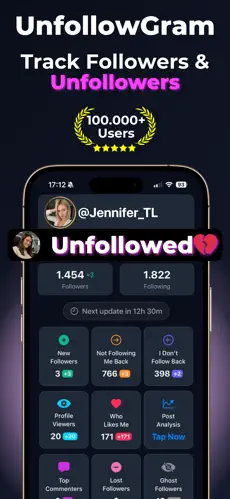
How to See Who Unfollowed Me on Instagram

Noticed your follower count dropped? Wondering who unfollowed you? Here's the easiest, safest way to find out, no password required.

โญ Rated 4.8/5 by 100,000+ users
๐ŸŽ Download on the App Store
๐Ÿ”’ No Pass โšก Fast โœ… 100% Safe
@

๐Ÿ”’ Works with public profiles โ€ข No login needed

๐Ÿ˜ค The Problem

Instagram Doesn't Tell You Who Unfollowed

Unlike likes and comments, Instagram never notifies you when someone unfollows.

๐Ÿ”•

No Native Feature

Instagram has no built-in way to see who unfollowed you. You can see current followers, but not who left.

๐Ÿงฎ

Manual Checking is Impossible

With hundreds of followers, you can't remember everyone. Spotting who's missing? Basically impossible.

โš ๏ธ

Most Apps Are Dangerous

Many "who unfollowed me" apps ask for your password. They can steal your account or get you banned.

๐Ÿค”

The Curiosity Kills

Was it that friend? That ex? A coworker? Not knowing who unfollowed drives you crazy.

โœ… The Solution

How to See Who Unfollowed You (The Safe Way)

1๏ธโƒฃ

Enter Your Username

Just type your Instagram username above. No password, no login, no connecting your account.

2๏ธโƒฃ

We Analyze Your Followers

Our system fetches your current followers and compares against previous data to find who's missing.

3๏ธโƒฃ

See Who Unfollowed

Get a list of everyone who unfollowed, complete with profile pictures and usernames. Mystery solved!

๐Ÿ›ก๏ธ Why Our Method

The Safest Way to See Who Unfollowed You

๐Ÿšซ

Risky Methods

  • โŒApps that ask for your IG password
  • โŒServices that log in to your account
  • โŒBrowser extensions with full access
  • โŒThird-party apps violating IG terms
โœ…

Our Safe Method

  • โœ…Never asks for your password
  • โœ…Uses only public data
  • โœ…No browser extensions needed
  • โœ…Fully compliant with Instagram

See Who Unfollowed Me App - iOS & Android

Want to know the moment someone unfollows? Our mobile app monitors your followers 24/7 and sends push notifications instantly.

๐Ÿ”” Instant push notifications
๐Ÿ“… Complete unfollower history
๐Ÿ‘ค Full profile details
๐Ÿ”’ Works with private accounts
Who Unfollowed Me App
๐Ÿ“š Guide

The Complete Guide to Finding Instagram Unfollowers

I get it. You've probably been staring at your follower count, watching it drop, and wondering who exactly decided to leave. The curiosity is real. Sometimes it's just curiosity. Sometimes you have a sneaking suspicion about who it might be.

Instagram used to let third-party apps see this information easily. Then they tightened their API. Now most of the "who unfollowed me" apps either don't work, require your password (dangerous!), or get your account flagged for suspicious activity.

Why Instagram Hides This Information

Instagram's reasoning makes some sense. They don't want users obsessing over unfollowers. They don't want awkward conversations where someone confronts the person who unfollowed them. They want Instagram to be a positive experience.

But let's be honest. Sometimes you need to know. Maybe you're managing a brand account and need to understand audience retention. Maybe you posted something and want to see if it drove people away. Maybe you just want closure on whether that person really did unfollow you.

The Safe Way to Check

The key is finding a method that doesn't put your account at risk. Any service asking for your Instagram password is a red flag. Any app that "logs into" your account is violating Instagram's terms and could get you banned.

Tools like our Instagram Follower Tracker work differently. We only use publicly available information. We never ask for your password. We never perform any actions on your account. This approach is safe because there's nothing for Instagram to detect or punish.

What to Do After Finding Unfollowers

Once you know who unfollowed, what then? Honestly, in most cases, nothing. Don't message them asking why. Don't unfollow them in revenge. That's drama nobody needs.

The value is in the patterns. If someone you thought was a close friend unfollowed, that's worth noting for your real-life relationship. If someone unfollowed after a specific post, that's content feedback. If you're losing lots of followers after changing your content style, maybe reconsider that change.

Information is power. What you do with that power is up to you. But usually, the best response is simply noting it and moving on.

โ“ FAQ

Frequently Asked Questions

Yes! Our web tool is completely free. Enter your username and see your unfollowers instantly.
Instagram intentionally doesn't notify users about unfollows to avoid negative experiences.
We can only track unfollows from when you start using our service.
With our tool, yes. We never ask for your password.
No. Our service is completely invisible to other users.
Use our web tool! Just enter your username above.

Ready to See Who Unfollowed You?

Stop wondering and start knowing. Find your unfollowers in seconds.

๐Ÿ” Find My Unfollowers