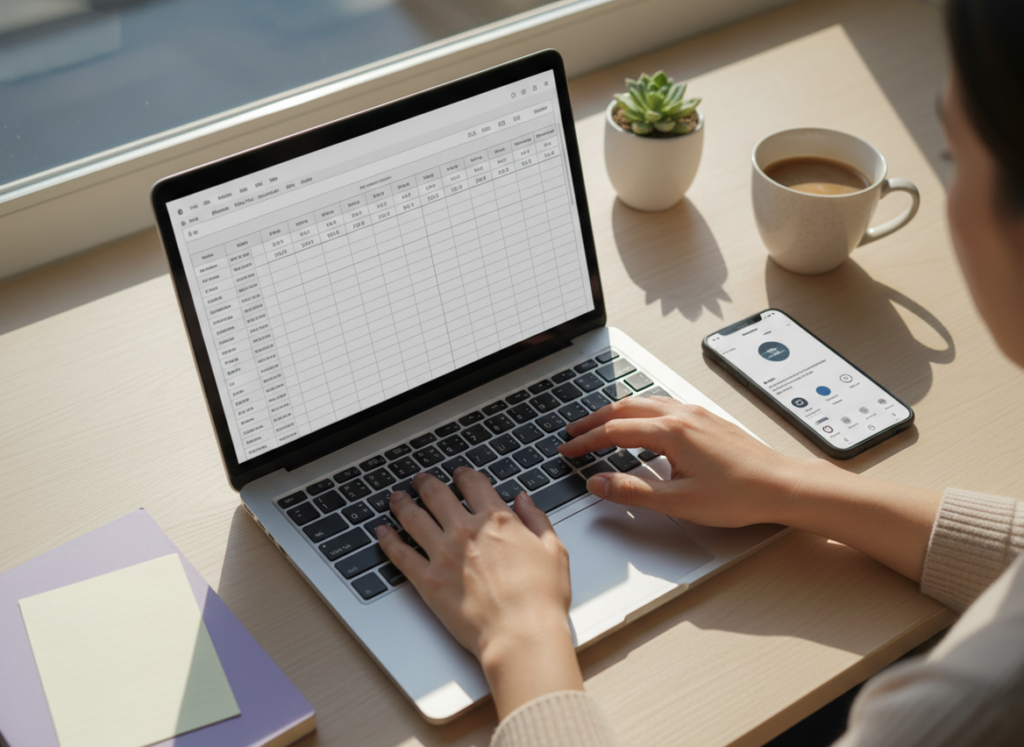
Manual tracking still makes sense when you care about safety, long-term history, and context more than “who unfollowed me at 2:13 PM.” If you’re wondering when to track Instagram followers manually, the answer is: when you need clean, reliable trends and notes you can trust, and you don’t want to gamble your account on sketchy tools.
I’ve used pretty much every approach over the years: pure spreadsheets, native Insights, “free” unfollower apps that mysteriously want your password (nope), and legit tracker dashboards. And funny enough, even with all the tools available in 2026, I still keep a manual log for certain accounts. Not because I love busywork. Because it saves me from bad decisions.
So here’s the honest breakdown: the exact situations where manual tracking is still the smarter play, how to do it without losing your mind, and where it falls apart so you don’t waste time.
Why manual tracking hasn’t died (even in 2026)
The big reason is simple: Instagram keeps tightening enforcement around anything that smells like scraping or shady authentication. I’ve watched creators lose access for days because they used a random “followers analyzer” that asked for login details, then triggered security checks. It’s not theoretical. It happens.
Manual tracking is boring, but it’s clean. No password sharing. No weird sessions. No “we’re totally compliant” claims that collapse the moment IG changes something under the hood.
And here’s the part most people miss: native Instagram Insights is good at summaries, not history. You get useful overviews, but the deeper stuff is capped. Your 90-day window rolls forward, and older data basically fades into the void. That’s why my spreadsheet is still alive.
How manual tracking works (and why it’s actually useful)
Manual tracking is just a consistent routine: you record a few numbers from Instagram (or public profile counts), at the same time, and you add context notes so the numbers mean something later.
The mechanism behind it
Follower counts move all day because people follow/unfollow in waves, spam gets removed, and sometimes Instagram “corrects” counts after bot purges. If you log randomly, you’re basically sampling noise. If you log consistently, you reduce that noise and get a trend line you can compare week over week.
That’s the whole trick. Same time, same method, consistent notes. Simple.
When to track Instagram followers manually (the situations where it’s the right call)
Not everyone needs this. But in a few specific cases, manual is honestly the best option.
1) You’re protecting a high-value account (or you’ve already been burned)
If your account is tied to your income, you don’t want to roll the dice with apps that ask for credentials or do anything questionable. I learned this the annoying way years ago: I tested a “top rated” unfollower app on a brand account, and within 48 hours I got hit with repeated login challenges. It worked… until it didn’t. Stressful.
Manual tracking keeps your risk basically at zero because you’re not giving access to anyone. And if you want a safer automated option later, tools that avoid password access are the only ones I’d even consider. That’s one reason I like Instagram Follower Tracker for the automation side without doing the sketchy login dance.
2) You need unlimited history (more than 90 days)
Instagram’s Enhanced Professional Dashboard has gotten better, sure. You can see audience locations, demographics, and active times. But your long-term tracking still hits limits, especially when you want to compare “this launch” to “that launch last year.”
Manual logs don’t expire. That’s the real superpower. When someone asks me why a creator’s growth slowed down, I can pull up notes from 8 months ago and see the exact week they stopped collaborations and started posting only photo dumps. That’s not magic. That’s a spreadsheet.
3) You’re running experiments (content, collabs, ad boosts)
Here’s what nobody tells you: the follower number is the least interesting part of a campaign. The interesting part is what was happening when it moved.
If you’re testing hooks, posting times, collab formats, giveaways (careful), or even just changing your bio, you want a log that includes:
- What you posted
- What you changed
- Any external traffic you drove (newsletter, TikTok, ads)
- Whether Instagram was “pushing” you (you can feel it when Reels suddenly spike)
Insights won’t hold your hand through that. Manual notes will.
4) You’re monitoring competitors in a simple, non-creepy way
Competitor tracking is one of the most underrated uses of manual logging. I’ll usually pick 5 to 10 accounts in the same niche and note their follower count weekly, plus what they posted and what popped off.
You can do the public-count part fast, and then go deeper once a month: screenshot their top posts and save them in a folder. I know, it sounds extra. But when you’re trying to understand what formats your niche is rewarding, that folder becomes your cheat sheet.
For public baselines, Social Blade can help with quick checks, but I still prefer my own notes for context. If you want a broader view of tools people use for tracking and analysis, this 2026 competitor analysis rundown is a decent scan of the landscape.
5) Your follower count is “jumpy” (and you need sanity)
On larger accounts, follower counts can look weird day to day. Like, you’ll see +200 one day, then -180 the next, and you start spiraling. Been there.
Often it’s not your content suddenly becoming terrible overnight. It’s delayed removals, spam cleanup, or your audience cycling after a Reel got shown to a broader group that was never going to stick around. Manual tracking pushes you toward week-over-week comparisons, which are way more stable.
A simple manual tracking setup that actually works
I’ve tried making this fancy. It doesn’t need to be fancy. The best setup is the one you’ll keep doing.
Step-by-step (daily log that takes 60 seconds)
- Pick a time and stick to it. Same hour each day. If you log at 9 AM Monday and 11 PM Tuesday, your “daily change” is basically meaningless.
- Record your follower count. Just the number you see on your profile.
- Add a “daily change” column. Today minus yesterday.
- Add one short note. “Posted Reel,” “Went Live,” “Collab posted,” “No post,” “Story Q&A,” “IG glitchy,” whatever’s relevant.
- Once a week, write a weekly summary note. This is where insights happen.
What I track (my “minimum viable” spreadsheet columns)
- Date
- Follower count
- Daily change
- 7-day change (optional, but I love it)
- Notes (content, collabs, promos, travel, anything)
That’s enough to spot patterns without turning it into a second job.
A lived-detail thing that matters more than people expect
When I’m tracking daily, I’ll usually see the most “false panic” on accounts under 5,000 followers. One unfollow can swing your mood, and the percentage change looks bigger than it is. On accounts over 50,000, the opposite happens: daily moves are noisy, so weekly trends are the only thing worth reacting to.
And timing matters. If you log right after posting a viral Reel, you’ll see a spike, then a drop as the hype settles. Log consistently and that effect becomes readable instead of emotional.
Hybrid tracking: the setup I recommend most people use
Most creators shouldn’t go all-manual or all-tool. Hybrid is the sweet spot.
Use Instagram’s own Insights for quick windows (7, 30, 90 days) and audience breakdowns, then keep manual logs for long-range history and campaign notes. This is especially helpful now that the Professional Dashboard shows active times and demographics, but still won’t show you individual unfollow events.
If you want the bigger picture of how free methods compare to tools, this tracking overview does a nice job listing approaches, even if I don’t agree with every “just use X app” recommendation out there.
Also, if you’re trying to decide where manual ends and trackers begin, this breakdown on Instagram tracker tools compared to manual tracking lays out the tradeoffs clearly.
Where manual tracking breaks (failure modes I’ve seen up close)
Manual tracking isn’t some pure, perfect method. It can fail hard in a couple ways.
Failure mode #1: You turn it into an obsession
Checking numbers constantly doesn’t make you grow faster. It just makes you anxious faster. I’ve had weeks where I tracked too often, started “fixing” things that weren’t broken, and ended up posting worse content because I was reacting to tiny fluctuations.
If you’re prone to doom-scrolling your own analytics, keep manual tracking to once a day or even once a week. Seriously.
Failure mode #2: Your timing is inconsistent, so your data lies to you
Daily tracking only works if “daily” means roughly the same time window. If you can’t stick to a consistent log time, switch to weekly tracking. It’s better to have clean weekly data than messy daily data.
Common mistakes I see constantly (and how to avoid them)
- Logging without context. A number without a note is just trivia.
- Overreacting to day-over-day changes. Weekly patterns are where the truth is. Daily is mostly vibes.
- Mixing sources. Don’t log sometimes from your profile, sometimes from a third-party site, sometimes from Insights. Pick one primary source for counts.
- Copying competitor tactics without checking fit. Their audience might tolerate spammy trends. Yours might not.
- Trying risky tools “just to see.” If an app wants your Instagram password, close it. That’s it.
Limitations (what manual tracking won’t tell you)
Manual tracking has blind spots, and pretending otherwise is how people waste time.
- It won’t tell you exactly who unfollowed you. You’ll see the count drop, but you won’t know the specific accounts unless you’re cross-checking lists (which is painful at scale).
- It won’t reliably explain “why” someone unfollowed. You can infer patterns with notes, but you can’t read minds. Sometimes people just clean up their feed.
- It gets annoying on fast-growth or huge accounts. When you’re getting thousands of follows a day, manual logging is still useful for trends, but it won’t capture the granular story.
If your main goal is unfollower visibility and quick alerts, manual checks can feel like bringing a notebook to a rocket launch. In that case, compare the options in manual unfollower checks versus tracker alerts.
Manual vs spreadsheet vs apps (the practical way to choose)
People argue about this like it’s a philosophy debate. It’s not. It’s just tradeoffs.
- Manual-only is best when safety and control matter most, and you’re fine with trend-level insights.
- Spreadsheet tracking is the upgrade when you want long-term history and experiments with notes. If you want a deeper comparison, see spreadsheet tracking compared to follower tracker apps.
- Tracker apps are best when you want automation, alerts, and features like non-follower lists without the daily admin work.
And if you’re worried manual numbers are “off,” you’re not imagining it. Instagram can lag, round, or update counts at different times. This is why consistency matters, and why accuracy is a whole topic on its own: how accurate manual tracking is on Instagram.
A counterintuitive insight: tracking less often can make you grow faster
You’d think more tracking equals more control. Actually, too much tracking makes a lot of creators tweak things constantly, which kills consistency, and consistency is what the algorithm tends to reward over time.
If you’re posting 4 Reels a week and your weekly net is up, don’t blow it up because Tuesday was down 12. I’ve made that mistake. I’m not proud of it.
Track weekly. Create daily. That balance is kind of the cheat code.
FAQ
Can follower trackers detect fake followers?
Some can flag suspicious patterns (no posts, weird usernames, zero engagement), but none can guarantee “fake” with 100% certainty because Instagram doesn’t hand out a verified label for that.
How do I find out when my IG followers are most active?
Switch to a Business or Creator account and check your Professional Dashboard or Insights for follower active times; manual tracking can’t reveal this by itself.
How to tell if someone looks at your Instagram a lot?
You can’t see profile stalkers directly, and any app claiming it can is usually lying; the closest signals are repeat Story viewers, consistent likes/comments, and DMs.
When should I stop tracking Instagram followers manually?
When the routine starts stealing time from posting or you need real-time unfollow/non-follower lists, it’s usually time to move to a safer tracker or a hybrid setup.
Conclusion: keep manual tracking for trends, use tools for the heavy lifting
If you’re deciding when to track Instagram followers manually, my rule is: use manual tracking for clean trends, long-term history, and experiment notes, especially when account safety matters. It’s not flashy, but it’s dependable.
And when you’re ready to stop doing the repetitive parts yourself, use a tracker that doesn’t play games with your login or put your account at risk. If you want that route, take a look at Instagram Follower Tracker at https://followertracker.app.

