What an Instagram follower tracker shows is the stuff you can’t reliably see by checking your profile manually: exact unfollowers, follow-backs (or lack of them), follower changes over time, patterns tied to posts/Reels, and suspicious “ghost” or inactive followers.
Manual checking is fine for a quick vibe check. But if you’ve ever tried to remember “Was this 12,842 yesterday or was it 12,874?” you already know where it falls apart.
Below is the real gap between “scrolling your followers list” and what a proper tracker can actually surface, plus a few failure modes I’ve personally run into after testing these tools on tiny creator accounts and bigger brand pages.
Manual checking: what you can see (and why it’s frustrating)
Manually, Instagram gives you a few basic options:
- You can see your current follower count and following count.
- You can open your followers list and search a name.
- If you have a Creator/Business account, you can use Insights for recent growth windows (7/14/30/90 days).
That’s not nothing. But it’s also not “tracking.” It’s you doing detective work with a flashlight that has dying batteries.
Here’s the part people don’t admit: manual tracking works only until you get busy for a week. Then you miss the moment an unfollow wave hits, and you’re left guessing what caused it.
The hidden problem: Instagram doesn’t keep a clean “change log” for you
Instagram shows current state, not history. Most of what creators want is historical context: “Who left, when did they leave, and what did I post right before that?”
And yeah, you can kinda approximate it with screenshots and notes. I’ve done the whole “Sunday night spreadsheet update” thing before. It lasts about two weeks before you stop doing it. Ask me how I know.
So what does an Instagram follower tracker show that manual can’t?
If you’re searching “what does an instagram follower tracker show,” the clean answer is: it shows follower changes as events and trends, not just a static list. That’s the difference.
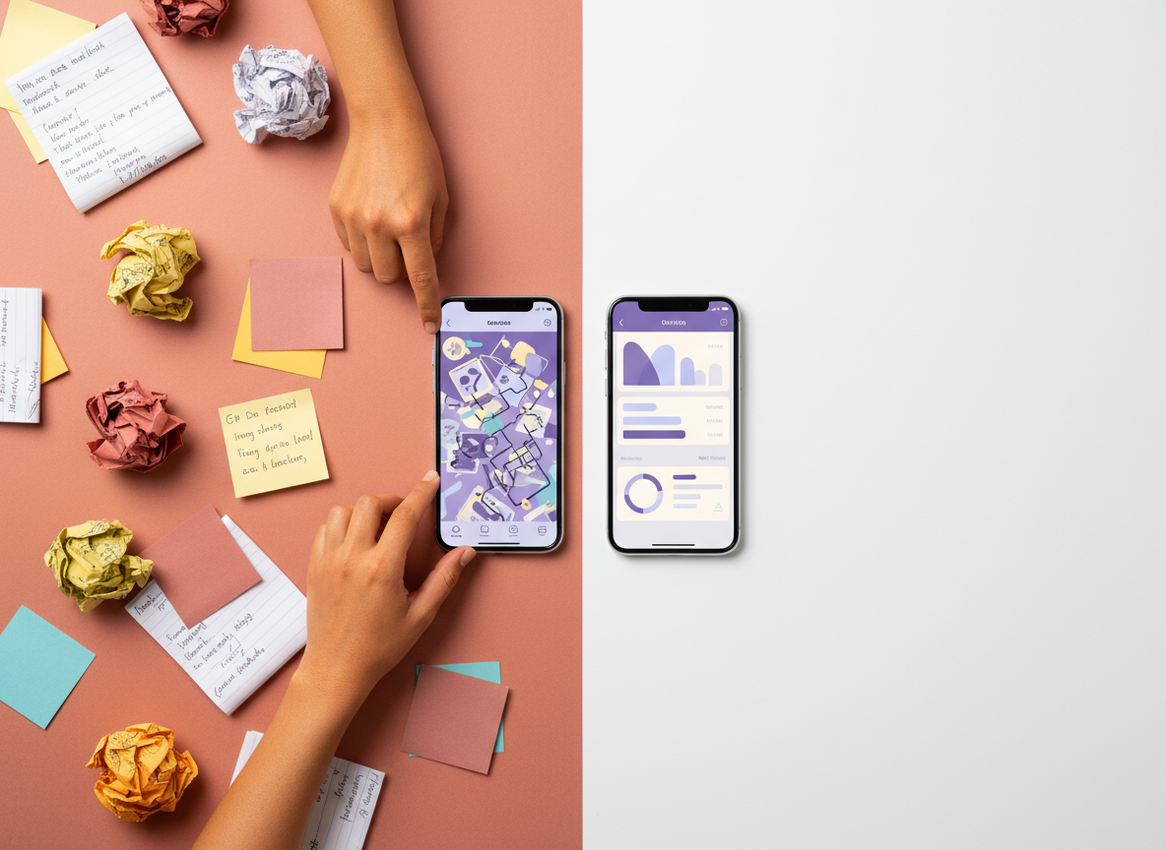
1) Exact unfollowers (not just “my count dropped”)
Manual method: you notice you’re down 20 followers and you start guessing. Tracker method: you get a list.
And it’s not just petty curiosity. Knowing exact unfollowers is diagnostic. If five people drop right after a certain Reel, that’s a signal. If 30 drop overnight after a giveaway, also a signal (usually low-quality followers churning out).
Lived detail: on larger accounts, unfollow detection tends to feel “chunky” because a lot of tools update on a schedule, so you’ll see 40 unfollows land at once instead of a neat drip. On small accounts, it’s usually obvious instantly because every single unfollow moves your count enough to notice.
2) Non-followers (people you follow who don’t follow back)
This is one of those things you can technically do manually, but it’s brutal. You’d have to check each account one by one, and after about 30 checks you start questioning your life choices.
A tracker can flag non-followers in seconds and let you sort them. That sorting is the underrated part.
- “High value” non-followers (collabs, friends, brands you genuinely want to keep)
- Random accounts you followed during a growth phase and forgot about
- Old follow-for-follow ghosts
Counterintuitive thing nobody tells you: unfollowing non-followers doesn’t automatically boost your reach. You’d think “clean list = better algorithm love,” but Instagram mostly cares about how your content performs with viewers, not whether you follow 300 or 3,000. The win here is focus and optics, not magic reach.
3) Growth charts (the “shape” of your audience over time)
Instagram Insights has improved and now gives you growth windows for 7/14/30/90 days on Creator/Business accounts, which is genuinely helpful. But it’s still a window, not a long-term memory bank. If you want the nerdy stuff like month-over-month comparisons, trendlines, and “what happened last spring,” a tracker is where that usually lives.
Some tools store your follower history for as long as you keep using them, which makes growth patterns obvious in a way manual never will. This is the same reason people use budgeting apps. It’s hard to see trends from your memory.
If you want the broader context on how native tracking compares to third-party tracking, this breakdown is solid: how Instagram follower tracking works in 2026.
4) “Ghost follower” and inactivity signals
First, honesty: nobody can perfectly label a “ghost follower.” Instagram doesn’t publish a clean “this account never watches your content” tag to third parties.
What trackers can do (when they’re legit) is estimate inactivity based on available signals, like engagement behavior and whether accounts appear dormant. It’s not a court verdict. It’s a shortlist.
Lived detail: I’ve seen “ghost follower” lists get weirdly biased toward private accounts and lurkers, because those people can be real fans who just never like or comment. So I treat ghost lists like a “review queue,” not a purge list.
For context, bot and inactive followers still exist at meaningful scale. Recent numbers put it around 14.1% of followers being bots or inactive accounts, which tracks with what I see when auditing accounts that ran giveaways or bought promo in the past. Source: Instagram follower statistics.
5) Post-to-growth correlation (what actually moved the needle)
This is the big one. Manual checking can’t tie cause and effect because you’re not logging the timing precisely.
A good tracker view makes it obvious:
- Which days you got spikes (and what you posted)
- Which days you bled followers (and what you posted)
- Whether your growth is steady or “one viral hit then flat”
Diagnostic reasoning: the reason this works is simple. Follower behavior is time-based. People follow and unfollow in response to what they see in a narrow window. If you don’t capture that window, you lose the “why.”
And yes, Reels tend to drive faster growth. I’ve watched accounts go from flat to consistent gains just by posting 3 to 5 Reels a week. Statistics back this up too, with Reel-focused creators seeing significantly faster growth on average. (Again, not magic, just distribution.)
6) Alerts and timing (manual can’t compete here)
Manual tracking is always late. A tracker can be close to real-time depending on how often it refreshes.
That matters because timing tells you what kind of unfollow it was:
- Instant unfollow after a post: content mismatch, controversial topic, too salesy, or you posted 12 Stories in a row (been there).
- Slow drip over a week: audience fatigue, inconsistent posting, or a platform shift.
- Big overnight drops: bot cleanup, giveaway churn, or tool refresh batching.
If you’re comparing methods specifically, I’d read this too: manual unfollower checks vs tracker alerts. It nails the “why am I always behind?” feeling.
How it works (in plain English)
Most trackers work by taking snapshots of your follower/following lists and metrics, then comparing snapshots over time.
So instead of you trying to remember who was there yesterday, the tool does it for you:
- It captures your current followers and following (a baseline).
- It checks again later (daily, hourly, depends on the tool and plan).
- It compares the two snapshots to identify changes: new followers, unfollowers, follow-backs, and sometimes engagement-related signals.
Where people get burned is when a tool wants your Instagram password and logs in as you. That’s the sketchy lane, and it’s also where account restrictions start happening.
I’ve tested tools that were “fine for months” and then the moment Instagram tightened something server-side, they started triggering verification loops. Not fun at 2am.
The stuff manual tracking really can’t do (even if you’re patient)
Follower history beyond Instagram’s windows
Instagram Insights gives you windows. Trackers can give you a timeline you keep building, which is gold when you’re comparing campaigns, seasons, or content pivots.
Sorting and filtering for decisions
Manual gives you one view: a list. A tracker gives you slices:
- Non-followers sorted by “you follow them, they don’t follow back”
- Recent unfollowers
- New followers in a date range
- Accounts that look inactive (with caveats)
And once you can slice, you can decide. That’s really the point.
Clean comparisons after content experiments
If you run content experiments (posting time, topic buckets, Reels vs carousels), manual tracking is basically vibes. You’ll think you’re being scientific, but you’re not logging clean data.
Trackers make it easier to say: “For the last 14 days, I posted 6 Reels and gained X net followers. The 14 days before that, I posted 0 Reels and gained Y.”
Quick tangent: nano-influencers often obsess over follower count, but engagement rate is where the money is. Smaller accounts can hit 5%+ engagement, which is often higher than big creators. So yeah, track followers, but don’t get hypnotized by the number.
Failure modes: where tracking breaks or gets weird
This is the part most glossy listicles skip, because it makes tools sound less “perfect.” But I’d rather you not waste your time.
Failure mode #1: snapshot timing makes it look like people unfollowed “all at once”
If a tracker checks once per day, you’ll see one big block of changes. That’s not always what happened. It’s just what got detected in that window.
I’ve had days where a tool reported 60 unfollows overnight and my first reaction was “what did I do?” Then I realized it was just the daily refresh after a weekend of normal churn. Still useful, but you have to interpret it correctly.
Failure mode #2: “ghost follower” guesses can mislabel real humans
Lurkers exist. Private accounts exist. People binge content without liking exists. So if you use ghost follower lists to mass-remove, you can absolutely delete real fans by accident.
My rule: ghost lists are for review, not punishment.
What to look for in a tracker if you care about account safety
Look, I’ve tried the risky apps in the past. I’m not proud of it. I just wanted the data, and the App Store reviews sucked me in.
Now I keep it simple. If a tool asks for your Instagram password, I’m out.
- No password required (seriously, this is the big one)
- Clear explanation of where data comes from (public data, Business API, etc.)
- Reasonable update frequency, not spammy “refresh” loops
- Exportable or at least readable history so you can compare periods
If you’re comparing approaches broadly, this pillar piece is worth a skim: Instagram Tracker vs Manual Tracking.
A practical way to use tracker data (without spiraling)
Because yeah, it’s easy to obsess. I’ve done the “check unfollowers every hour” thing for a week and it absolutely wrecked my focus. Don’t do that.
My simple routine that actually sticks
- Check weekly net change (not daily drama). You want trend, not noise.
- Look at the top 2 content pieces that preceded growth spikes.
- Scan unfollow clusters for timing patterns, not individual names.
- Quarterly cleanup: review non-followers and obvious inactive accounts.
If you’re a spreadsheet person, I get it. I used to be that person too. But at scale it gets annoying fast, which is why tracker apps exist. This comparison is helpful if you’re on the fence: spreadsheet tracking vs follower tracker apps.
Limitations (the honest part)
A follower tracker won’t tell you the exact reason someone unfollowed. You can infer based on timing and content, but you don’t get mind-reading powers.
And no, a tracker can’t reliably expose every bot or fake account with 100% certainty. Tools can flag suspicious patterns, but Instagram doesn’t give third parties a perfect “fake” label, so your mileage varies.
Also, if you’re doing manual tracking and think “I’ll just be careful,” the accuracy drops fast once your account grows. It’s not your fault. It’s just too much change too quickly. If you want a reality check on that, this is a good read: how accurate manual tracking on Instagram really is.
Where Instagram Insights fits in (and when it’s enough)
Instagram’s native Insights are better than they used to be. For many creators, Insights alone is enough if you only care about recent performance windows and basic audience breakdown.
But if you want deeper follower-specific changes (unfollowers, non-followers, long-term history), Insights doesn’t really try to be that tool.
If you want to compare native analytics tools with third-party options, you’ll see a lot of good coverage in roundups like Instagram analytics tools for 2026, but always sanity-check whether the tool needs a login.
My take after using a bunch of these tools
Most people start tracking because they want to know who unfollowed them. Fair.
The real value shows up later, when you stop taking unfollows personally and start using the data like feedback: what content attracts the audience you actually want, and what content brings in the wrong crowd.
And if you want a tracker that doesn’t play games with your account security, that’s why I like Instagram Follower Tracker. It gives you the visibility people want without the “hand over your password and pray” part. Simple.
FAQ
Do Instagram follower trackers work?
Yes, if they’re using safe, compliant methods and regularly updating snapshots. The sketchy ones “work” until they don’t, and that’s when people get locked out or forced into verification loops.
What is the order of someone’s followers list on Instagram?
It’s not a reliable chronological order. Instagram sorts follower lists using a mix of factors (like relevance and interactions), and the order can change depending on who’s viewing.
Does Instagram tell you if someone looks at your followers?
No. Instagram doesn’t notify you when someone views your followers list, and trackers can’t legitimately provide that either.
Can a follower tracker show who unfollowed me exactly?
If the tracker has a baseline snapshot from before the unfollow happened, yes, it can usually list the specific accounts that disappeared between checks.
Conclusion
Manual checking tells you what your account looks like right now. A tracker tells you what changed, when it changed, and what probably caused it.
If you’re tired of guessing and you want follower changes, non-followers, growth history, and cleaner patterns you can actually act on, try Instagram Follower Tracker at followertracker.app and use the data weekly, not obsessively. That’s the sweet spot.

