Instagram unfollow reports are basically the “receipts” you use to understand who left, when they left, and what was happening on your account right before it happened. In 2026, the trick isn’t finding any report, it’s finding one that’s accurate, timely, and doesn’t put your account at risk.
I’ve tested a lot of follower and unfollower apps over the years (some on burner accounts, some on client accounts I really didn’t want to lose). Here’s the reality: half the market still tries to do sketchy stuff behind the scenes, and that’s exactly how people end up with random IG security emails, forced password resets, or features getting limited for a while. Not fun.
So let’s talk about what “reports” actually mean, what you can and can’t get from Instagram itself, and what a safe unfollow report app should do if you’re using it commercially (creator, brand, agency, whatever).
TL;DR: Instagram unfollow report apps can help track who unfollowed you and when, but many still engage in risky practices that can compromise your account. The best tools offer accurate, timely data without violating Instagram’s rules. Unfollows can serve as useful feedback on your content, often linked to audience pruning or changes in engagement.
What people mean by “Instagram unfollow reports” (and why you should care)
When someone searches “instagram unfollow reports,” they usually want one of three things:
- A list of who unfollowed (names, not just a number).
- A timeline (did it happen after that promo Reel? after a Story rant? after you changed your niche?).
- A cleanup view (non-followers, ghost followers, follow-backs, that whole mess).
And yeah, it can feel a little vain. I get it. I used to pretend I “didn’t care” too, then I’d still check after posting something risky. Classic.
But unfollows are feedback. Not always personal feedback, either. A lot of it is just people pruning their feed, going inactive, or Instagram doing sweeps. For context, Instagram’s bot and inactive share is still a thing, but estimates put it around roughly 14% bots or inactive accounts lately, which is lower than it used to be.
The counterintuitive part nobody tells you
You’d think the posts that get the most unfollows are the “bad” posts. Honestly, not always.
I’ve seen accounts spike unfollows right after a post goes semi-viral because the wrong crowd followed in the first place. Then they bounce the moment your next post is “normal you” again. Annoying, but it’s also a sign your content is polarizing in a useful way.
How unfollow reporting works in 2026 (the simple, non-BS explanation)
Here’s how it works when it’s done correctly.
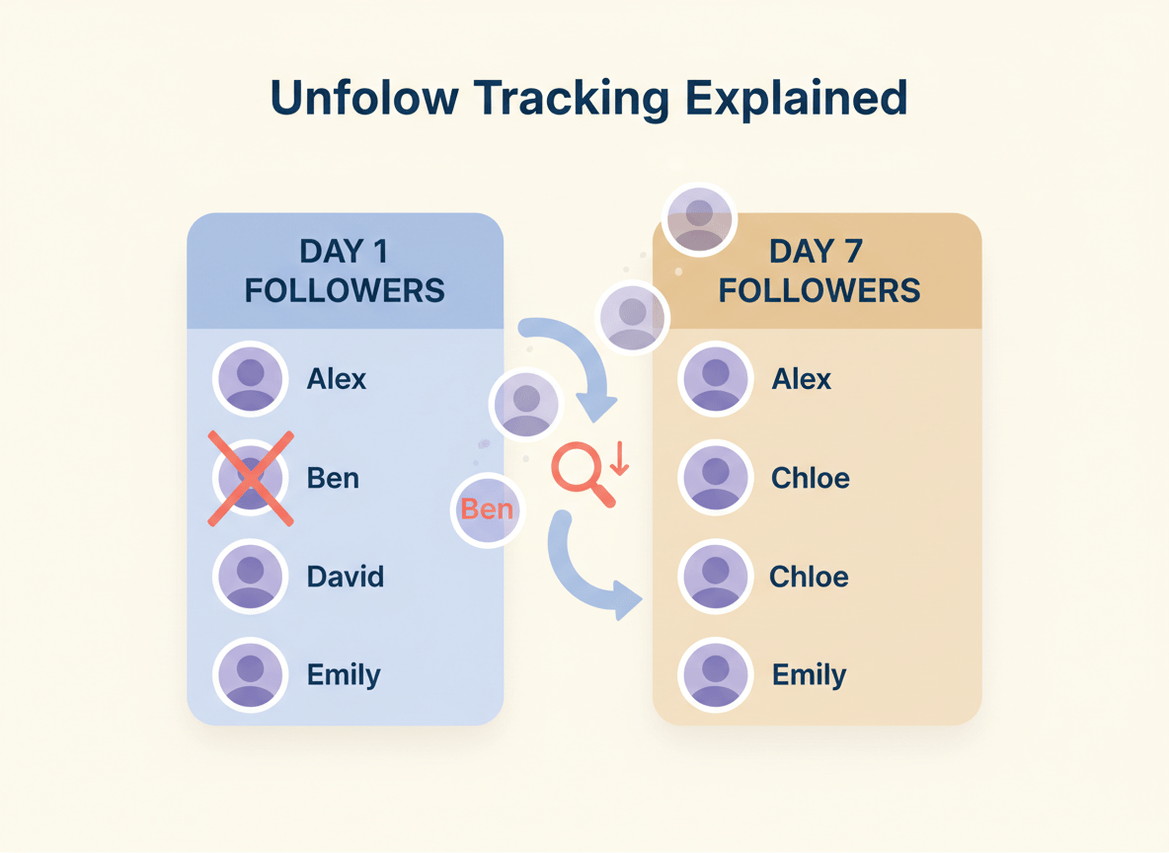
An unfollow report app needs a baseline snapshot of your followers (and usually your following list too). Then it checks again later and compares the two lists. Whoever was in the first snapshot but not in the second is marked as an unfollower.
That’s it. Simple.
Where it gets messy is how the app gets those lists, how often it refreshes, and whether it’s playing nice with Instagram rules. Some tools try to “scrape” data or ask you for your password so they can log in like you. That’s where people get burned.
Why timing changes your results (lived detail)
On larger accounts, the first sync nearly always takes longer, especially if you follow a lot of people. I’ve watched some trackers look “empty” for a bit, then suddenly populate once the baseline finishes. If you check too early, you’ll swear it’s broken. It’s usually just still building the comparison set.
And if you’re the type who posts late at night, you’ll notice unfollows often show up the next morning. Not because the app is slow, but because that’s when people do their “clean my feed” routine while half-awake.
What Instagram gives you natively (and what it refuses to tell you)
Instagram itself gives you some reporting, but it’s not the reporting most people want.
- Follower count changes (you can see you dropped from 10,105 to 10,098).
- Engagement and reach (helpful for diagnosing what caused shifts).
- Audience basics (age ranges, location, active times, depending on account type).
What you don’t get from Instagram: a list of who unfollowed you.
That’s why “reports apps for followers and unfollowers” exist in the first place. People want names, not vibes.
Diagnostic reasoning: why IG doesn’t show you the list
Instagram’s incentive is to keep the platform feeling social, not transactional. If they gave everyone a built-in “unfollower list,” it would create more drama, more harassment, more spam, more revenge-follow tactics. And it would probably increase churn.
So instead, they give you macro signals and keep the micro data out of reach.
The real reasons people unfollow (what I see again and again)
Most unfollow spikes have patterns. They’re not random lightning bolts.
One data point that matches what I’ve seen: inconsistent posting is a monster. Estimates put it at roughly 44% of followers going inactive or dropping off when accounts are erratic. That feels right, because people like rhythm. They don’t like guessing if you’re still “a thing.”
Here are the common culprits I’d actually bet money on:
- Inconsistent posting: Big gaps, then a random content dump. People stop caring. Harsh, but true.
- Too much selling: Back-to-back promos make people feel like a wallet, not a person.
- Visual whiplash: Aesthetic changes overnight (fonts, colors, vibe) confuse casual followers fast.
- Posting extremes: Either 7 posts in 2 days or nothing for 3 weeks. Both cause drop-offs.
- Hashtag mistakes: Banned or spammy hashtags can throttle discovery, then you “feel” the drop later.
- Instagram cleanups: Periodic purges remove bots and dead accounts, which looks like an unfollow wave.
If you want a broader take on why people care so much about unfollows now, this piece nails the psychology angle better than most: why unfollows feel personal in 2026. (They do. Even when they shouldn’t.)
What a “good” follower/unfollower report app should include
If you’re paying for instagram unfollow reports, you’re not paying for a list. You’re paying for context and consistency.
Reports I actually look at
- Unfollowers by date (a timeline you can match against posts)
- Non-followers (people you follow who don’t follow back)
- Growth tracking (net growth is nice, but seeing the curve matters more)
- Ghost followers (not to shame them, but to understand engagement drag)
- Exportable reporting (especially if you’re doing client reporting)
I also like when the tool lets you sanity-check changes over the last 7 to 14 days. That window is where most “why did this happen?” answers live.
My practical “unfollow map” (this is what I do on real accounts)
I keep a lightweight log. Nothing fancy. If you’re managing multiple accounts, you need a system or you’ll start guessing, and guessing turns into bad strategy.
- Log the date of the unfollow spike (or the day you noticed it).
- Note your last 3 to 5 posts (especially promos or off-topic experiments).
- Record what changed: posting frequency, content format, new offer, new hook style, anything.
- Compare against reach: if reach tanked first, the unfollows are often a delayed reaction.
- Decide what to test next (one change at a time, or you won’t learn anything).
And yes, I’ve messed this up. I used to change five things at once because I was impatient, then I’d sit there like… okay, what worked? What broke? No clue.
Failure modes: where unfollow reporting apps break (and why)
This is the part most tool roundups skip.
1) Baseline problems (the “it says nobody unfollowed” issue)
If the app didn’t capture a clean initial snapshot, your report can be incomplete. This falls apart when you connect, disconnect, reconnect, and expect a perfect history. You might get “from this point forward” accuracy, but not the past.
2) High-churn periods (giveaways, viral spikes, collabs)
Where this gets weird is right after a giveaway or a viral Reel. You’ll see rapid follows and unfollows, and some accounts deactivate in between checks. The report is still useful, but it’s noisy. You have to interpret it like a trend, not a courtroom verdict.
I’ve run tracking during giveaways and the “unfollower list” can look brutal for 48 hours. Then it calms down. That’s normal.
Safety: what to avoid when buying “unfollow reports”
Look, if an app asks for your Instagram password, I’m out. Immediately.
I know some people still do it because they’re desperate for names. I’ve been tempted too. But I’ve seen too many accounts get hit with login challenges and “suspicious activity” loops after using password-based trackers. Sometimes you recover fast. Sometimes you don’t.
- Avoid password-required apps (they’re often operating in a way Instagram doesn’t love).
- Avoid apps that promise impossible things like “see who viewed your profile” plus unfollow tracking. That combo is usually a red flag.
- Be skeptical of spammy review patterns. If every review sounds like it was written by the same person, it probably was.
If you want a safety-focused rundown of the broader “how to track unfollowers without getting wrecked” angle, this article lines up with what I’ve seen in practice: how to safely track Instagram unfollowers in 2026.
Reading unfollow reports the smart way (so you don’t spiral)
Here’s something I still have to remind myself: an unfollow isn’t always a critique. Sometimes it’s just life. People delete apps, switch interests, do digital detox, or follow too many accounts and start pruning.
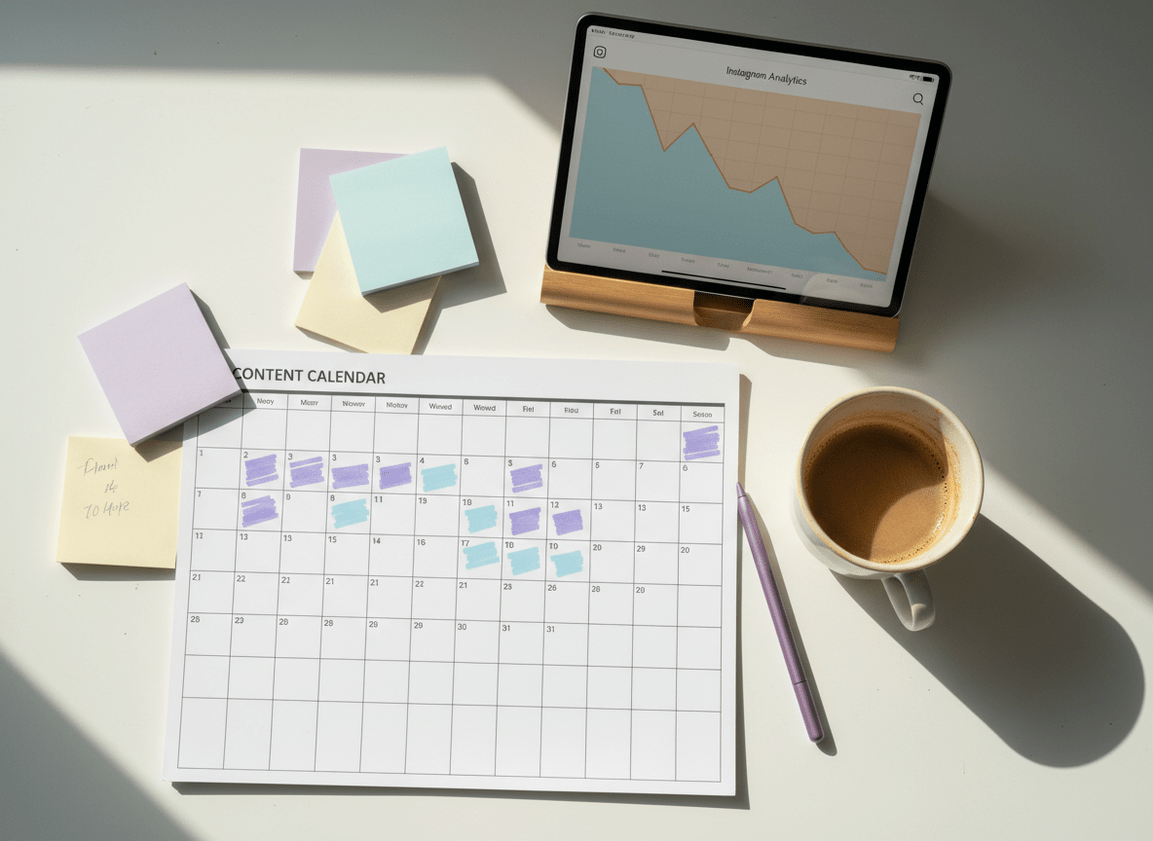
So don’t just stare at the unfollower list. Pair it with signals that explain it:
- Reach: did your content stop getting shown before people left?
- Saves and shares: these are “this was valuable” signals, even if likes are mediocre.
- Format fatigue: too many talking-head Reels in a row can burn people out (yes, even if they perform).
One more lived-detail thing: on creator accounts around the 5k to 50k range, unfollows tend to spike right after you introduce a new offer. Not because selling is bad, but because you didn’t warm up the audience. When I see that pattern, I fix the lead-in content, not the offer.
Quick wins that reduce unfollows (without killing your growth)
You don’t need a full content overhaul. Usually.
- Stop stacking promos: if you’re selling, space it out with actual value posts. People can smell desperation fast. Ugh.
- Hold a steady cadence: 3 to 5 posts a week beats random bursts for most niches.
- Rotate formats: mix Reels, carousels, and photos so your feed doesn’t feel like one long ad.
- Warn people before you pivot: a simple Story like “I’m shifting to X content” reduces the shock unfollows.
- Clean your banned hashtags: if discovery drops, unfollows often lag behind by days.
If you want to go deeper on combining follower and unfollower signals (instead of treating them like separate worlds), this breakdown is useful: how follower and unfollower trends relate.
Choosing the right type of report (creator vs business vs personal)
Different accounts need different reporting depth.
Creators
Creators usually need timing and content correlation. If you’re averaging 6,000+ followers, you’re also more likely to see “normal churn” daily, so obsessing over individual unfollows will melt your brain. Track patterns, not individuals.
Businesses
Businesses should care about unfollows right after campaigns. If you run ads or partner posts, watch the 72-hour window after. That’s where you’ll see “wrong audience” follows wash out.
Personal brands (the messy middle)
This is where I see the most confusion. Personal brands post lifestyle, then try to sell, then go quiet. Your report is going to look like a rollercoaster until your content expectations are clear.
If you’re trying to get very specific about names and timing, these two are worth a look depending on what you’re searching for: options when you’re asking “who unfollowed me on Instagram” and how to interpret your Instagram unfollowers.
Where “reports apps” fit: tracking that’s useful, not creepy
A good reports app doesn’t try to be psychic. It doesn’t pretend it can read minds or show private actions that Instagram doesn’t expose.
It just helps you answer practical questions:
- Did that content series cause churn or growth?
- Are you following a bunch of accounts that never followed back?
- Are you building real engagement, or padding your follower count with ghosts?
If you’re the type who likes having a clean dashboard for this stuff, you’ll probably also care about broader reporting beyond unfollows. This is the best overview of that angle: Instagram reporting tools and what they actually show.
Limitations (what instagram unfollow reports won’t tell you)
Unfollow reporting is powerful, but it’s not magic.
- It won’t tell you why someone unfollowed. You’re inferring the reason based on timing and content, and your mileage will vary.
- It can’t reliably separate “unfollowed” vs “account deactivated” in every edge case, especially during high-churn weeks. Sometimes the end result looks the same in a list comparison.
- It won’t fix a content problem by itself. The report is a thermometer, not medicine.
Also, if you’re only checking once a month, don’t expect clean insights. The signal gets muddy when you wait too long.
How Instagram Follower Tracker Helps With Instagram Unfollow Reports
We built Instagram Follower Tracker because most “tracker apps” I tested over the years were either risky, annoying, or full of fake promises. The big one for me was password requirements. If a tool needs your IG password, you’re basically trusting it with your account’s life. No thanks.
Instagram Follower Tracker focuses on the stuff people actually want from Instagram unfollow reports: seeing who unfollowed, identifying non-followers, tracking growth over time, and spotting ghost followers without doing anything that triggers that dreaded “suspicious login attempt” spiral. It also helps that it works across devices, because I can check a report on desktop during the day and on my phone later without everything feeling out of sync.
One honest caveat: any report is only as good as its baselines and refresh schedule. If you connect today, you can’t time-travel and get perfect unfollow history from months ago. But once it’s running, the day-to-day visibility is exactly what most creators and businesses need. If you want to see how this style of tracking looks in practice, the product angle is here: an Instagram follower and unfollower reporting tool that doesn’t ask for your password.
And if you specifically care about daily unfollow visibility, this is the most direct explanation of that use case: how an Instagram unfollow tracker works.
FAQ
What are followers reports?
Followers reports are summaries of follower-related changes like new followers, unfollowers, follower growth over time, and sometimes non-followers or ghost follower insights.
Can Instagram show me exactly who unfollowed me?
No, Instagram doesn’t provide an official in-app list of who unfollowed you; it only shows follower counts and general audience analytics.
Are unfollow report apps safe to use?
Some are, some aren’t; avoid apps that ask for your Instagram password or promise impossible data like “profile viewers,” because those are common red flags.
Why did I lose followers even when my views went up?
Viral reach can pull in the wrong audience, and those followers often drop off after your next “normal” post, which shows up as unfollows despite higher views.
How often should I check instagram unfollow reports?
Checking daily or a few times a week is ideal because it’s easier to match unfollows to the last 7 to 14 days of content without guessing.
Conclusion
Instagram unfollow reports matter when you treat them like feedback, not a scoreboard. Track unfollows by date, compare them to recent posts, and watch for patterns like promo stacking, inconsistent posting, or sudden content pivots.
Keep your expectations realistic too. A report can show who left and when, but the “why” still comes from context, timing, and your content strategy.
If you want a safer way to monitor followers, unfollowers, non-followers, and growth without handing over your IG password, Instagram Follower Tracker is a solid option to consider.

