An instagram follower tracker is basically a way to see how your follower count changes over time, and in the best case, who actually unfollowed you. In 2026, “best case” matters, because Instagram has gotten way stricter about third-party apps that want your login.
I’ve tested a lot of follower tracking setups on real accounts (tiny personal pages, creator accounts, and some business profiles), and the big lesson is simple: safe tracking is about comparing snapshots, not “hacking” Instagram. If a tool needs your password, I don’t care how pretty the charts are, it’s not worth the risk.
So this is the complete beginner’s guide: what follower tracking really means, how the tracking works behind the scenes, what’s safe vs sketchy, and how to actually use the data without spiraling (yeah… I’ve done the 2 a.m. “who unfollowed me?” refresh loop too).
What “Instagram follower tracking” actually means (and what it doesn’t)
Follower tracking is just measuring change. That’s it.
At a basic level, you’re tracking:
- Follower count over time (up, down, flat).
- Net change (follows minus unfollows).
- Sometimes: the actual usernames who left (only if your tracker can compare two clean lists safely).
And here’s what follower tracking is not:
- It’s not mind reading. You won’t get a reason someone unfollowed.
- It’s not a guaranteed “list of unfollowers” if you’re using only Instagram’s built-in analytics.
- And no, it usually doesn’t update the second someone follows or unfollows. Timing matters way more than people think, and it can totally throw off what you think you’re seeing.
One more reality check. In 2026, bot cleanup is aggressive, and it changes what your “tracking” even looks like. One stats roundup I keep seeing shared says roughly 14.1% of followers are bots or inactive (down from earlier years), mostly because Instagram keeps nuking junk accounts in waves (source). When a wave hits, it can look like “people” unfollowed you. Sometimes it’s just Instagram taking out the trash.
How an instagram follower tracker works (the simple explanation)
Most beginner confusion comes from thinking there’s some magic dashboard that Instagram secretly provides.
There isn’t.
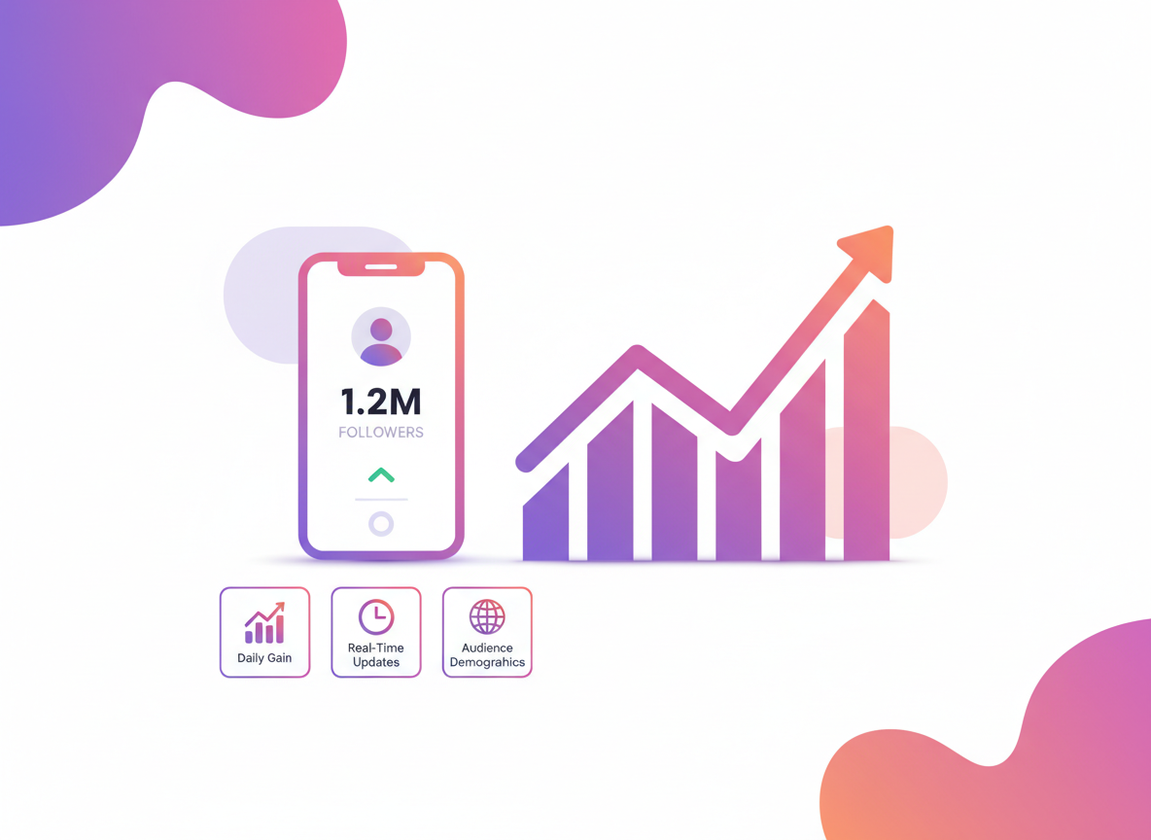
In most cases, safe tracking is just two check-ins, you grab your followers list at time A, grab it again later at time B, then you compare the two to see who showed up and who disappeared.
- Take another snapshot at time B.
- Compare the lists to see what changed (new followers, missing followers).
Here’s why that works, if someone was on the first list but they’re missing on the next one, they probably unfollowed, deactivated, got banned, or tweaked something privacy-wise so you can’t see them anymore. Most people only consider “unfollowed me,” but the other stuff happens a lot in 2026.
Why is this harder than it used to be?
Honestly, Instagram’s API rules have changed a ton, and they’ve been a lot stricter about anything that even looks like a spammy growth tool. But if an app wants your Instagram password, that’s usually where people get burned, because it tends to mean they’re breaking the rules or pulling data in some sketchy way.
That’s why modern trackers either:
- Use public data (limited, but safer),
- Use official API access (usually for business/creator analytics, not perfect unfollower lists), or
- Use manual exporting/logging (boring, but it works).
The “safe vs risky” split (and how to spot it fast)
If you remember one part of this whole guide, make it this.
A safe instagram follower tracker should not require your Instagram password. Period.
I’ve seen people ignore that warning because the app had “4.8 stars” and a flashy unfollower screen. Two weeks later, they’re locked out, doing the identity selfie verification, and swearing they’ll never do it again. It’s a pain.
If you want a deeper breakdown of what’s safe vs not, this is worth reading: how to tell safe follower tracker apps from risky ones.
Quick “smell test” checklist
- Password required? Risky. I don’t care what the app store description says.
- Promises “see private profile followers” or “anonymous story viewer” plus tracking? Usually a red flag. Those feature bundles are where shady tools love to hide.
- Only asks for your @username and uses public-facing info? Safer, but also more limited.
- Asks you to connect via official Meta/Instagram permissions (for analytics)? Generally safer, but it might not reveal exact unfollowers.
And yeah, there’s a tradeoff: safer tools sometimes give you less. That’s kind of the point.
Start with Instagram Insights (free, compliant, and honestly underrated)
If you have a Creator or Business account, Instagram Insights is the cleanest place to start. It’s free, it’s native, and it won’t get you locked out.
Insights won’t usually hand you a perfect “these 12 people unfollowed you” list. But it does show the stuff that actually helps you grow: follower trends, content reach, when your audience is active, and which posts triggered spikes or dips.
Most guides gloss over where to find it, so here’s the exact path that trips people up: go to your profile, hit Professional dashboard, then open Insights. A decent overview of this setup (and why it’s the default in 2026) is covered here: tracking Instagram followers using Insights and safe methods.
What Insights is good for
- Spotting growth patterns (like “Reels days” vs “photo days”).
- Seeing 90-day trends without extra tools.
- Finding what content actually pulls new follows.
What Insights is bad for
- Identifying exact unfollower usernames.
- Explaining why a dip happened (you’ll still need context).
Lived detail: on smaller accounts (say under 2,000 followers), Insights trend lines can feel “jumpy” because one Reel popping off can swing your entire graph. On bigger accounts, the graphs look calmer, but it can take longer for changes to show up cleanly, especially if you’re gaining and losing people every hour.
The counterintuitive truth: obsessing over unfollowers can slow your growth
You’d think tracking unfollowers obsessively would make you “optimize.” But actually, it often makes people post safer, blander content because they’re trying not to lose anyone.
That’s the trap.
Some of the fastest-growing creators I work with barely look at individual unfollows. They look at net growth, saves, shares, and watch time. And in 2026, that lines up with what Instagram rewards anyway, especially with video.
One stat that matches what I’ve seen in real accounts: creators who lean into Reels tend to grow faster (one report quotes 47% faster follower growth with Reels in the mix) (source). Do Reels guarantee growth? Nope. But if you’re tracking followers, you’ll usually see your biggest spikes come after a Reel gets algorithmic reach, not after a perfect grid post.
How to track unfollowers without doing anything sketchy
Okay, so you still wanna know who unfollowed you. Fair.
There are three beginner-friendly ways to do it without handing your password to a random app. Each has a different “effort vs detail” trade.
Option 1: Use a no-password tool that compares snapshots
This is what most people actually want: a simple way to see unfollowers without logging in through the tool.
For that, I point people to Instagram Follower Tracker because it’s built around the safer approach: no password, just tracking changes over time. It’s not trying to be an all-in-one growth casino with story viewers and who-stalked-you nonsense. Good.
Lived detail: when you first start snapshot-style tracking, day 1 can feel “underwhelming” because you need two data points before you get meaningful change reports. People expect instant results. That’s not how comparison tracking works.
Option 2: Manual tracking (spreadsheet method)
This is the “I don’t trust any tool” method. I respect it.
Here’s the simplest version:
- Once per day (or every other day), write down your follower count.
- Note what you posted that day (Reel, carousel, story-heavy, nothing).
- After 2-3 weeks, look for patterns: spikes, dips, flatlines.
If you want actual unfollower usernames with manual tracking, it gets annoying fast: you’d have to scroll/search your followers list and compare it to older screenshots. I tried this in the past when tools got shut down and… yeah, I don’t recommend it unless your account is tiny.
Option 3: Instagram Insights for trends, plus occasional “unfollower checks”
This is what I do on my personal accounts.
I’ll use Insights for trend awareness, and then only check “who left” when something looks weird (like a sudden drop after a post that wasn’t controversial at all). The combo keeps you sane.
If you want a dedicated walkthrough focused only on the unfollower question, this is the cleanest step-by-step explanation: how to see who unfollowed you on Instagram.
Why your follower count changes even when nobody “unfollows” you
This part surprises beginners. A lot.
You’ll see your follower count drop by 3, then jump back up by 2, then drop again. People assume it’s drama. Often it’s just Instagram doing Instagram things.
Common causes:
- Bot/inactive account removals (big in 2026).
- Deactivations/reactivations (yes, it happens daily).
- Delayed count updates across devices and caches.
- Private account changes affecting visibility in edge cases.
I’ve watched accounts with 50k+ followers “lose” 40 overnight with zero content change, then slowly regain some of that over the next day. That’s usually cleanup + delayed display syncing, not a coordinated unfollow party.
If you want the full breakdown (and what to do when it keeps happening), this is the deep read: why your Instagram follower count fluctuates.
Beginner step-by-step: set up a tracking routine that actually helps
The biggest mistake is checking randomly. It turns follower tracking into emotional whiplash.
So here’s a routine that’s simple, repeatable, and gives you useful signal.
Step 1: Pick one “check-in” time and stick to it
Choose a daily or twice-weekly time window. I usually pick mornings because late-night numbers can be noisy (people deactivate at night, spam gets removed, plus your brain is already tired). Your mileage may vary, but consistency beats perfect timing.
Step 2: Track net change first, unfollowers second
Write down:
- Follower count
- Following count (optional, but helpful)
- What you posted in the last 24 hours
Then, if you’re using an instagram follower tracker that can show unfollowers safely, check the names. But don’t start there.
Step 3: Tag your content by “format,” not just topic
Format is the hidden driver. Reel vs carousel vs static photo vs story-only days. If you don’t tag this, you’ll misread your own data.
Quick example from my own testing: a “helpful tips” post as a carousel can produce steady follows, but a similar tip as a Reel sometimes produces a spike plus a small wave of unfollows later. That doesn’t mean the Reel was bad. It can mean it reached a broader audience that wasn’t your long-term fit.
Step 4: Review weekly, not hourly
I’ve been guilty of the hourly check. It’s not productive. It’s just dopamine chasing.
Weekly review is where patterns show up:
- Which posts caused a bump within 24-48 hours
- Which topics caused slow bleeding (if any)
- Whether you’re attracting the right audience (engagement quality)
Quality matters more than quantity (and tracking proves it)
Here’s a big 2026 reality: not all followers are equal.
Nano-influencers often see engagement rates over 5%, which is wild compared to bigger pages (source). And when you track followers properly, you can actually see why: smaller accounts tend to attract more relevant followers, while big reach posts can bring in a mixed crowd.
So when you’re looking at follower tracking data, ask:
- Did engagement go up with the follower spike?
- Did story views stay stable?
- Did DMs/comments feel more “real” or more spammy?
One of my most annoying lessons: I once chased a follower spike that came from a meme-style Reel. Numbers went up, sure. But the next two weeks had lower saves and worse comment quality. I basically trained the algorithm to show my next posts to people who didn’t care. Not my brightest moment.
Failure modes: where follower tracking breaks (so you don’t blame the wrong thing)
This is where things get weird.
Failure mode #1: “Unfollower” lists that are actually deactivations and bans
If someone deactivates, they’ll vanish from your follower list. A tracker may mark them as an unfollower because, technically, they’re missing from snapshot B.
Then they reactivate a week later, and suddenly they “followed you again.” That can make your data look chaotic when it’s really just account availability changing.
Failure mode #2: Too-frequent checking creates false urgency
Some people check 10 times a day and assume every micro-change is meaningful. It isn’t.
Instagram’s counts and lists don’t always update in perfect real time across every view. If your tracker snapshots at 9:01 and you check manually at 9:03, you might see a mismatch. It happens. I’ve seen it on both iOS and Android, and it’s more common when your account is growing quickly.
Common mistakes I see beginners make (and how to fix them)
I work with Instagram users a lot, and the same mistakes show up on repeat.
- Mistake: switching tools every week. Fix: pick one method and run it for 30 days. Consistency beats feature shopping.
- Mistake: reacting to unfollows by changing your whole niche overnight. Fix: look at 2-4 weeks of trend data before you “pivot.”
- Mistake: trusting any app that offers “secret viewer” features. Fix: keep follower tracking separate from anything that smells like privacy invasion.
- Mistake: forgetting bot cleanup exists. Fix: when you see sudden drops, cross-check with engagement and content performance first.
And look, I get it. An unfollow can feel personal. It’s not always, though. Half the time it’s someone doing a mass-clean of who they follow, or they followed from a Reel and realized you’re not what they expected. Normal.
Free vs paid follower trackers: what you’re really paying for
Some free trackers are fine. Some are a mess. Same with paid ones.
What you’re usually paying for isn’t “access to secret data.” You’re paying for convenience: better history, faster comparisons, cleaner exports, fewer ads, more frequent snapshots, stuff like that.
If you’re deciding between options, read this once and it’ll save you time: free vs paid Instagram follower trackers (what’s worth it).
Personal note: I used to pay for premium trackers back when they all required logins and had deep unfollower lists. I’m not proud of it. I didn’t get burned, but I also got lucky. In 2026, I’m way more conservative because the risk curve is just different now.
Limitations: what follower tracking won’t tell you
This section is the “don’t get mad at the tool for not being magic” part.
- You won’t get reasons. A tracker can tell you who left (sometimes), not why.
- You won’t always get perfect attribution. If Instagram removes bots or someone deactivates, it can look like an unfollow.
- You can’t safely track everything with full detail anymore. Tools that claim full access while also being “100% safe” are often bending rules somewhere.
One caveat I’ve noticed: if you’re right on the edge of a milestone (like 9,999 to 10k), you’ll notice fluctuations more, and you’ll assume tracking is broken. It usually isn’t. You’re just staring at the number too closely.
Do unfollows matter for the algorithm?
People ask this constantly.
Unfollows matter indirectly. Instagram mostly cares about how people react to your content: watch time, replays, shares, saves, meaningful comments. If you post stuff that makes current followers bail, that’s a signal your content isn’t matching what your audience wanted.
But a few unfollows after a high-reach Reel can be normal, because Reels often reach outside your “core” audience. This is why net growth plus engagement quality is the smarter metric than “0 unfollows” perfection.
Mini tangent: why “ghost followers” are a distraction (most of the time)
Lots of trackers love the “ghost follower” label. Some of it is real, but it’s overused.
Sometimes a “ghost” is just someone who watches and never taps like. I have people like that on my own account. They’ll DM me twice a year with a super thoughtful message, and the tracker would’ve called them dead weight. So… yeah.
If you’re trying to clean up followers, I’d focus on obvious bots and spam accounts, not quiet humans.
Does Instagram notify people when you unfollow?
No notification pops up for unfollows, but people can still notice if they’re paying attention (especially if you interacted a lot). If you want the full nuance, including the “soft signals” people mistake for notifications, read whether Instagram notifies users when you unfollow.
I mention this here because beginners sometimes think an unfollower list will “alert” the other person somehow. It won’t. Tracking is for you, not a public broadcast.
Choosing a tracker in 2026: what I’d look for first
There are tons of tools floating around, and a lot of listicles are… how do I say this nicely… not written by people who’ve ever been locked out of an account. Oops.
Here’s what I’d prioritize:
- No password needed (non-negotiable for me).
- Clear explanation of where data comes from (public data, snapshots, official integrations).
- History that’s easy to understand (so you can compare weeks, not just today).
- No creepy feature bundling (if it’s also offering “view private profiles,” run).
If you’re curious what the general tool landscape looks like right now, there are a couple decent roundups. One talks about modern analytics tools for 2026 and how they’re leaning more “compliant analytics” than “spy features” (Instagram analytics tools overview). Another list covers follower tracker categories and what they tend to offer, though you still have to use judgment because not every recommendation fits every account (Instagram follower tracker tool roundup).
Lived detail: when I test tracker apps on larger accounts, “first sync” or first snapshot can take noticeably longer, and sometimes the app looks frozen even though it’s working. That’s usually a scaling issue, not you doing something wrong. Wait a bit, then check if the snapshot timestamp updated.
FAQ
What is the best instagram follower tracker for beginners?
The best one is a tracker that doesn’t require your Instagram password and can show follower changes over time. Start with Instagram Insights for trends, and use a no-password tracker if you specifically want unfollower comparisons.
Can I see exactly who unfollowed me on Instagram?
Instagram itself usually doesn’t show a clean list of unfollowers, so you need a comparison method (snapshots) to identify missing accounts. Even then, deactivations and bans can look like unfollows.
Are Instagram follower tracker apps safe?
Some are, some aren’t. If an app asks for your Instagram password, I’d treat it as risky; safer tools use public data, official permissions, or snapshot comparisons.
Why did I lose followers overnight?
It could be real unfollows, but it’s often bot removals, deactivations, or delayed count updates. Check your recent content performance and engagement before assuming your audience “hated” something.
How often should I track my followers?
Daily or a few times per week is plenty for most people. Checking multiple times per day usually creates noise and stress without giving better insights.
Conclusion: track smarter, not harder
Follower tracking is useful when it helps you make better content decisions, not when it turns into a paranoia hobby. Keep it consistent, focus on trends, and treat unfollower lists as data, not a personal referendum.
If you want a straightforward, no-password way to monitor follower changes and spot unfollowers over time, use an Instagram Follower Tracker App. It’s the kind of tool I recommend because it keeps the process simple and avoids the sketchy login stuff that gets people burned.