Nope, Instagram won’t tell someone you unfollowed them. As of 2026, unfollowing is still pretty much silent, public or private, so they don’t get an official alert popping up on their phone.
But here’s the thing people forget, even without an unfollow notification, it’s usually not that hard to spot if someone’s the type to watch their follower count, scroll their follower list, or notice you followed and then quickly took it back.
I’ve tested this across multiple accounts (tiny personal pages and bigger creator accounts), and the behavior is consistent: no direct unfollow ping, but lots of little side signals that can give you away if you’re careless. So yeah, it’s anonymous, until they connect the dots.
So, does Instagram actually notify people when you unfollow?
Instagram doesn’t send a notification when you unfollow someone, at least in most cases. There’s no push alert, no little banner, no DM or inbox message, nothing like that.
And honestly? This design choice makes sense. Instagram wants to reduce drama and retaliation. Imagine the chaos if every unfollow triggered an alert. It’d be a mess.
If you want a second opinion from a source outside my “I’ve-clicked-this-button-too-many-times” experience, a lot of social media help sites report the same thing, like this breakdown of Instagram unfollow notifications.
How it works (what Instagram actually does behind the scenes)
When you unfollow, Instagram basically updates one relationship record: your account stops subscribing to their account’s content. That’s it.
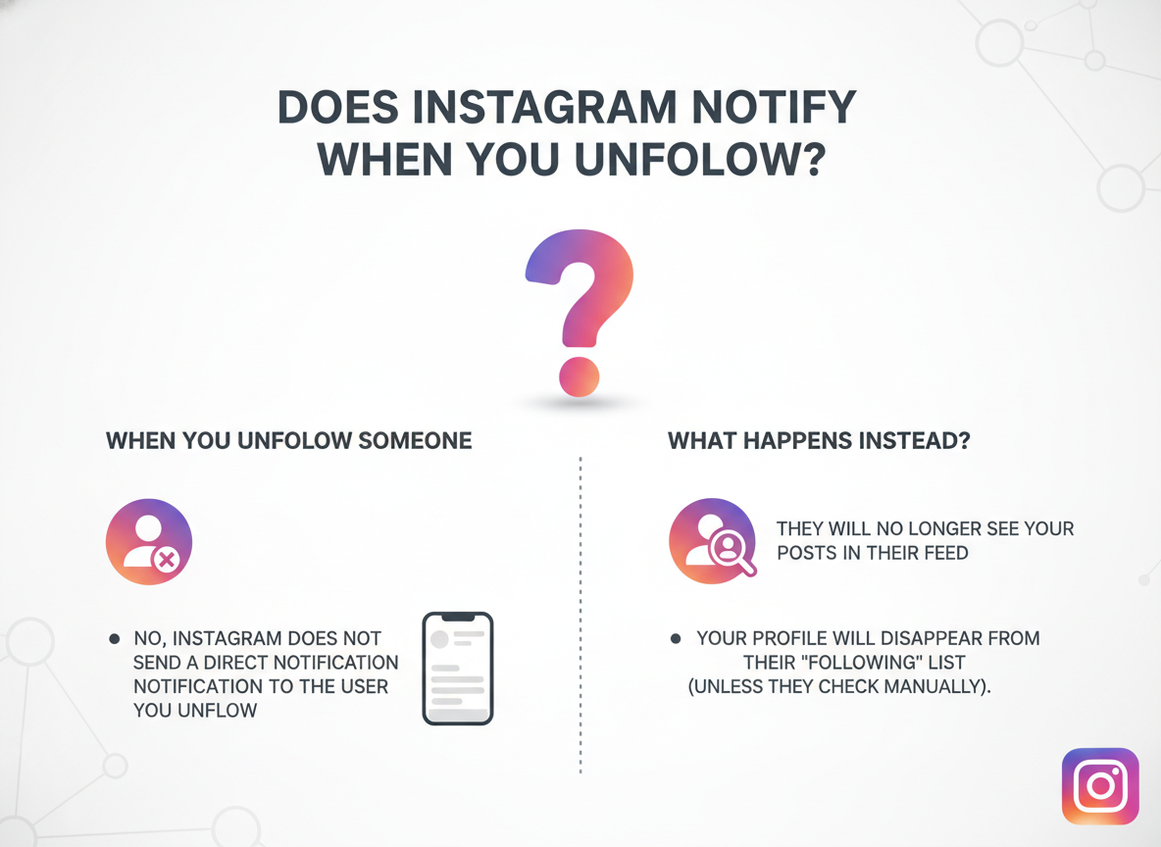
No “event” is generated for the other user’s notification feed because Instagram only creates notification events for certain actions: follows, likes, comments, mentions, tags, DMs, and a few others. Unfollow doesn’t make the cut.
So what changes after you unfollow?
- Your “Following” list no longer includes them.
- Their follower count drops by one (sometimes immediately, sometimes after a refresh).
- You stop seeing their posts/stories in your feed unless you visit their profile directly.
- If their account is private, you can no longer see their content unless you request again.
One weird little lived-detail thing: on larger accounts, the follower count you see can lag or “stick” for a while, especially if you’re flipping between the app and desktop. I’ve watched an unfollow “not register” visually for 10 to 30 minutes, then suddenly update after a hard refresh. It’s not magic. It’s caching.
How people still find out you unfollowed (without a notification)
Look, nobody gets an official alert. But that doesn’t mean it’s invisible.
1) They check their followers list (manual detective mode)
If someone remembers your username and they’re even a little bit nosy, they can go to their followers list and search your handle. If you’re not there, you unfollowed. Simple.
I’ve had people do this to me after a minor disagreement. Petty? Yes. Effective? Also yes.
2) They notice a follower count drop
This is where it gets messy. A follower count drop doesn’t point to you specifically, but some people track their numbers daily and then start cross-checking accounts they “expected” to still follow.
And if they’re using analytics tools, they might see patterns. Not your name, just timing signals.
If your numbers are acting strange lately, that’s a whole separate rabbit hole. This article on why Instagram follower counts fluctuate explains the common causes (and no, it’s not always unfollows).
3) The follow-notification trap (counterintuitive, but real)
Here’s what nobody tells you until it bites them: the “tell” often isn’t the unfollow… it’s the follow.
If you follow someone, Instagram sends a notification. If you unfollow 10 seconds later, that follow notification may still sit in their notifications list, or it might even hit their lock screen first. So they never get “X unfollowed you,” but they do get “X started following you” and then they check your profile and you’re not following anymore.
Awkward. Brutal. I’ve done it by accident while cleaning up my following list late at night and half-asleep (not my finest moment).
4) They use an unfollower tracker
Instagram doesn’t provide a built-in “who unfollowed me” report, so people reach for third-party trackers. Some are legit-ish, some are a total dumpster fire.
If you’re curious about the options (and the risks), read which Instagram follower tracker apps are safe vs risky. It’ll probably save you from a couple of the sketchier mistakes I see people make all the time.
What happens when you unfollow a follower on Instagram?
Unfollowing a follower is one-way. You stop following them, but they still follow you.
So they’ll still see your posts, stories, reels, everything… unless you also remove them, block them, or make your account private and remove them from there.
And yeah, this surprises people. I’ve watched creators unfollow a bunch of accounts thinking, “Cool, I’m done,” and then wonder why those same people are still commenting. That’s why.
If you want them gone: “Remove follower” is the quiet move
Instagram lets you remove a follower without notifying them. You go to your profile, open your Followers list, hit “Remove” next to their name, and Instagram drops them from following you.
Instagram’s own help pages cover a lot of these follower and privacy mechanics, including removing followers and how following works, on their support site: Instagram Help Center guidance on followers and privacy.
Quick lived-detail: if you remove someone and your account is public, they can immediately re-follow you without asking. If you’re private, they’ll have to request again. That one setting changes the whole vibe.
Does it matter if your account is public or private?
For notifications: no. Instagram still won’t notify when you unfollow.
But the impact changes:
- If you’re private, unfollowing someone means they can’t see your content anymore (unless they still follow you, in which case they can).
- If they’re private, unfollowing means you lose access to their posts/stories entirely unless you request again.
- If both are public, unfollowing mostly changes what shows in your feed, not what’s “accessible” on profiles.
And if you’re trying to create distance without starting a fight, removing them as a follower (or muting) usually causes less drama than a block. Blocking is effective, but it’s loud. People notice.
The follow/unfollow cycle (and the action limits that get people in trouble)
A lot of users still try the old follow/unfollow growth trick. It used to be everywhere. Now it’s mostly a fast track to getting restricted.
Instagram quietly enforces daily limits. In practice, I’ve seen accounts start getting warnings or temporary blocks when they push past roughly 150 follow/unfollow actions in a day. Sometimes less. Sometimes a bit more. Your account age and behavior history matter a lot.
And once you trigger those limits, things get weird:
- Your follows stop “sticking” (you tap follow, it flips back).
- You can’t unfollow for a while.
- Your engagement can dip for a day or two (not always, but I’ve seen it).
This is one of those failure modes people don’t expect: you try to clean up your following list quickly and Instagram thinks you’re running automation. Suddenly you’re locked out of basic actions. Not fun.
Does Instagram notify if you follow and unfollow quickly?
Not directly. But they may still see the follow notification before you unfollow, like I mentioned earlier.
Also, if you do this repeatedly, Instagram may flag the behavior. The person won’t get an “unfollow” alert, but you might get rate-limited, and then you’re the one stuck.
I’m not proud of it, but I tested this once on a burner account to see how fast restrictions kick in. I hit the wall way earlier than expected, and it took about 24 hours for everything to feel normal again. Lesson learned.
How to tell when somebody unfollowed you on Instagram (what actually works)
Instagram won’t send you a neat little message that says “Hey, Alex bailed.” So you’ve got a few real-world options.
Option A: Manual check (boring, but clean)
- Go to your profile.
- Tap “Followers.”
- Search the person’s username.
- If they don’t show up, they’re not following you.
This won’t tell you when they unfollowed. It also won’t tell you whether they blocked you versus unfollowed (because a block can look similar). That’s one of the limits of manual checking.
If you want the deeper walkthrough, I wrote it up here: how to see who unfollowed you on Instagram.
Option B: Use a tracker that doesn’t ask for your password
This is where I’m picky. Like, really picky.
Most “unfollower apps” that ask for your Instagram password are a bad idea. Full stop. I’ve watched users lose accounts, get weird login alerts, or suddenly start following random profiles because they handed credentials to the wrong place.
So if you’re going to track unfollowers, I like tools that minimize what they collect and don’t require handing over your password. That’s why I’m comfortable recommending Instagram Follower Tracker to people who want a safer way to keep tabs on unfollows without doing the manual spreadsheet thing.
And if you’re weighing tools, here’s a good safety-focused explainer from an unfollower-app site that gets the risk part right: are Instagram unfollower apps safe?
Option C: Creator analytics platforms (good for trends, not names)
If you’re a creator or brand, platforms like Metricool can help you see net growth and dips. They’re useful, but they typically won’t hand you a clean “this person unfollowed at 2:14 PM” list. Different purpose.
If you want the full ecosystem view, this pillar page ties everything together nicely: Instagram follower tracking beginner guide.
Common mistakes I see (and yeah, I’ve made some of these too)
- Assuming “no notification” means “no one will ever know.” People check. Especially ex-friends, ex-clients, and ex-crushes. (Tell me I’m wrong.)
- Follow then immediate unfollow. That follow notification can linger long enough to expose you. I’ve accidentally done this while mass-cleaning my following list and immediately regretted it.
- Using random tracker apps that request insane permissions. If an app wants your password, run. If it wants access to everything, also run. Not great.
- Doing 300 actions in a day because “it worked for someone on TikTok.” That’s how you hit action limits and end up temporarily blocked from following/unfollowing.
- Obsessing over unfollowers instead of fixing content. I get it, it stings. But the fastest growth I’ve seen always came after people improved posting consistency and engagement, not after they hunted down every unfollower.
One more vulnerable confession: I used to take unfollows personally. Like, stupid personally. Now I treat it like a signal, not an insult… most of the time. Some days it still bugs me, not gonna lie.
Limitations and edge cases (what this won’t tell you)
Even if you’re doing everything “right,” there are a few things that can still confuse the situation.
- This won’t always tell you the difference between an unfollow and a block. If someone blocks you, you also won’t see them in certain searches or follower lists. The symptoms overlap.
- Follower counts aren’t a perfect real-time indicator. Caching delays can make it look like someone unfollowed (or didn’t) until the app refreshes. I’ve seen this happen more on accounts with higher follower counts.
- Tracking tools can miss short windows. If someone unfollows and re-follows between scans, some trackers won’t catch it. That’s not you doing something wrong. It’s just timing.
So yeah, your mileage may vary depending on how often you check and how Instagram is behaving that day (and Instagram has days where it behaves… strangely).
FAQ
Can you tell when somebody unfollowed you on Instagram?
Not exactly, because Instagram doesn’t show a timestamp for unfollows. You can confirm they’re no longer following you, but “when” usually requires a tracker that logs changes over time.
What happens when you unfollow a follower on Instagram?
You stop following them, but they still follow you. If you want them to stop seeing your content, you’ll need to remove them as a follower or block them.
Does Instagram notify if you follow and unfollow quickly?
Instagram won’t notify about the unfollow, but the follow notification can still show up and tip them off. Doing this repeatedly can also trigger action limits.
Does Instagram notify when you remove a follower?
No, Instagram doesn’t send a notification for removing a follower either. The person can still figure it out if they check, but there’s no official alert.
Wrap-up (what I’d do)
If you came here wondering “does Instagram notify when you unfollow,” the answer is still no. You can unfollow quietly, and Instagram won’t rat you out.
But if you want to actually track unfollows on your own account without playing detective every day, use something that doesn’t require handing over your Instagram password and doesn’t feel sketchy. That’s the whole point.
If you wanna keep it simple, take a look at the Instagram Follower Tracker. It’s the most practical way I’ve found to stay on top of unfollowers without turning your account into a science project.

