
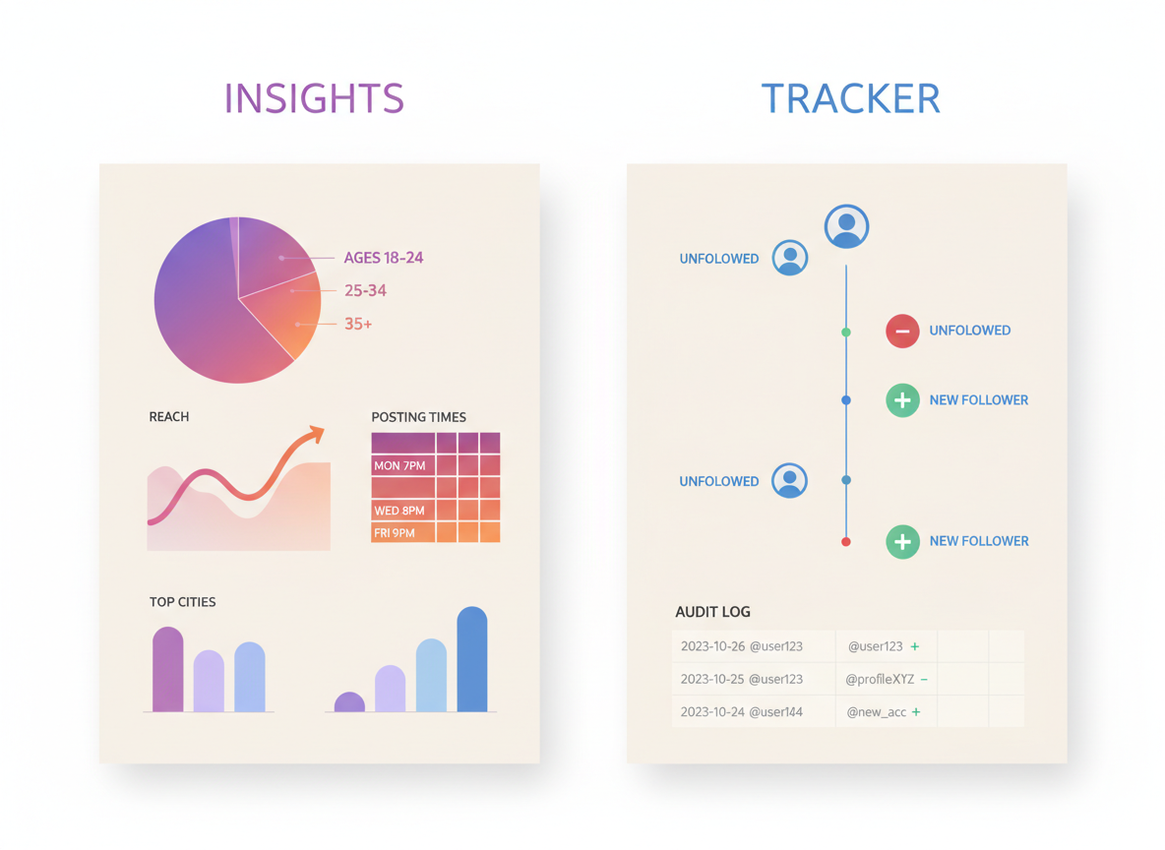
If you’re asking “do i need a follower tracker if i have insights,” the honest answer is: sometimes no, but a lot of creators still do. Insights is awesome for seeing how your posts are doing and what your audience has been into lately. But it won’t spell out who dipped, who never followed you back, or what went down six months ago.
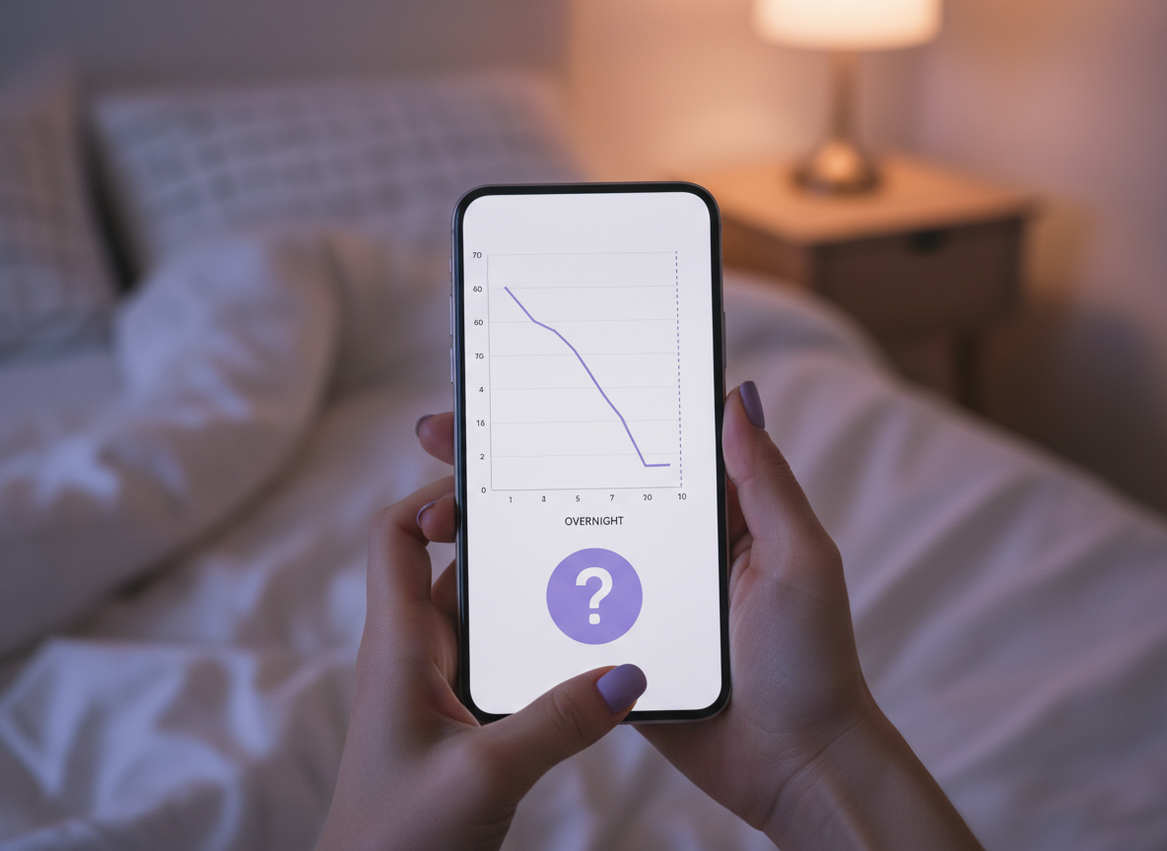
I’ve run accounts where Insights was totally enough for weeks at a time. And I’ve run other accounts where it was basically useless the moment I needed specifics like “who unfollowed after that Reel” or “why did my follower count dip overnight.”
So here’s the thing. What Insights is good at in 2026, what it still can’t tell you, and when a follower tracker is actually worth bothering with.
TL;DR: Instagram Insights is great for analyzing content performance and audience trends, but it lacks detailed tracking of follower changes. A follower tracker gets way more specific. It can show who unfollowed, who’s gone quiet, and how your follower count has been shifting over time. It really depends on what you’re trying to figure out. In most cases, both can be useful, they just do different jobs.
Quick breakdown, Insights vs. a follower tracker, since that’s what you’re actually picking between.
Insights is just Instagram’s built in analytics. It’s free, it’s straight from Instagram so it’s usually accurate, and it mostly sticks to content results and audience patterns.
A follower tracker is more like an audit log for your relationship graph: who followed, who unfollowed, who’s a non-follower, who’s inactive, and how your follower count changes over time.
- Insights answers: “What content worked, when were people online, what demographics am I reaching?”
- A follower tracker answers: “Who left, who’s not following back, who’s a ghost follower, what changed and when?”
And yes, there’s overlap. But it’s not as much as people assume.
How it works (and why the data feels so different)
Insights is tied to what Instagram measures natively: reach, impressions, watch time, taps, follows from a post, audience activity windows, and demographics. Instagram can show that cleanly because it owns the underlying event data.
A follower tracker is usually building a timeline by taking “snapshots” of your followers/following lists (and sometimes engagement signals), then comparing changes between snapshots. That’s why a tracker can tell you “this account disappeared from your followers list,” while Insights stays more aggregated and content-centric.
Here’s the thing most people don’t realize: Instagram’s API changes in 2025 and 2026 broke a bunch of tracker apps that relied on sketchy shortcuts, so some tools now miss events or lag behind. I’ve literally watched one popular app go from “near real-time” to “eh, check back tomorrow” after an API deprecation. Not fun.
What Instagram Insights does well in 2026 (it’s better than it used to be)
Insights has gotten noticeably more useful recently, especially with post-level growth metrics. If you care about content performance and you’re trying to post smarter, it’s hard to beat.
1) Post-level growth and content attribution
Insights is now pretty good at answering “did this Reel actually bring followers in?” I’ve used this on creator accounts where one Reel brought a small but steady drip of followers for days, while another spiked for 2 hours and then died. That difference matters.
If you want a sense of what changed, this overview of the recent Instagram Insights updates lines up with what I’m seeing inside the app.
2) Audience timing and engagement windows
Insights is still the best way to find your followers’ active times and align posting windows. Not perfectly. But better than guessing.
3) Demographics you can actually use
Age ranges, gender split, top cities, top countries. For brand work, this is the stuff clients ask for first. A tracker might estimate, but Insights is the source.
My lived-detail take
On smaller accounts (under 5k), Insights tends to feel “jumpy” because a handful of actions swing percentages hard. On bigger accounts, the patterns smooth out and the timing charts become way more reliable, especially for Reels-heavy pages.
Where Insights still falls short (the parts that make people install a tracker)
This is the part that causes the “do i need a follower tracker if i have insights” question in the first place. You hit a wall.
You don’t get unfollower names
Insights can show net follower change. It can hint which posts drove follows. But it won’t tell you who unfollowed. And when you’re trying to clean up your following list or spot patterns (like “every time I post X, these people bounce”), that missing detail is the whole point.
If you’re specifically wondering about that gap, this is worth reading: what Instagram Insights can’t show about unfollowers.
The 90-day-ish memory problem
Insights is good for recent windows. Long-term trend analysis is where it gets annoying. If you’re the kind of person who wants to compare “this January vs last January” or track slow churn, Insights alone isn’t built for it.
I learned this the hard way after I didn’t export anything for months (lazy, I know). When a sponsorship asked for longer-term growth context, I had… vibes. That’s it. Not great.
It’s weak at “accountability” data
You’d think follower count is follower count, right? But the reason a tracker log feels different is because it’s an audit trail: what changed between two points in time. Insights is reporting Instagram’s internal rollups, which can update late, reclassify sources, or just show net movement without the story.
If you care about the nitty gritty of what changed when, this breakdown helps: follower count change logs vs Insights.
Failure modes: where each option breaks (so you don’t waste your time)
Where Insights breaks: the moment you need identities (who unfollowed) or long-term historical comparisons. It also won’t help you clean up non-followers fast unless you manually check profiles one by one. I’ve done that. Never again.
Where follower trackers break: sketchy apps that ask for your Instagram password or hammer Instagram with non-compliant requests. That’s when you see “suspicious login attempt” emails, random action blocks, or weird verification loops. I’ve had to recover an account after testing a tool like that years ago. I’m still annoyed at myself.
There’s also a more boring failure: some trackers miss changes if they don’t capture a snapshot frequently enough. If someone follows and unfollows between snapshots, it can look like nothing happened. Your mileage varies based on the tool and how it collects data.
Counterintuitive truth: more data doesn’t always make you grow faster
Here’s what nobody tells you: staring at unfollower lists can mess with your head and make you post safer, not better. It’s like checking your weight after every sip of water.
I’ve seen creators overcorrect after a tiny unfollow wave that had nothing to do with the content (seasonal inactivity, bot purges, people cleaning their feeds). The move is to use follower tracking for patterns, not for emotional play-by-play.
So… do you need a follower tracker if you have insights?
Use Insights alone if:
- You’re mostly optimizing content (Reels vs carousels, hooks, watch time, posting time).
- You’re fine living in the last 30 to 90 days.
- You don’t care who unfollowed or who isn’t following back.
Add a follower tracker if:
- You want unfollower visibility, not just net growth.
- You’re doing cleanup work (non-followers, inactive accounts, ghost followers).
- You need a longer memory than Insights gives you, or you manage multiple accounts.
And if you want the broader head-to-head, this pillar is the cleanest overview: Instagram Insights vs Follower Trackers.
Limitations (what neither option will magically solve)
A follower tracker won’t tell you “exactly why” someone unfollowed. You can infer patterns, but you can’t read minds.
And Insights won’t reliably diagnose follower quality on its own. You can see engagement trends, sure, but spotting ghost followers or non-followers takes extra tooling or manual work. If you want the full map of what Insights covers versus what it skips, this helps: what Instagram Insights tracks and what it misses.
Why we built Instagram Follower Tracker for this exact gap
Most people don’t install a tracker because they “love analytics.” They install one because they’re tired of guessing. That’s basically the whole reason tools like Instagram Follower Tracker exist: to show the stuff Insights won’t, like unfollowers, non-followers, and ghost follower patterns, without you doing detective work at 1 a.m.
I’ve tested a bunch of trackers over the years, and the dividing line is always the same: does it respect your account, or does it treat your account like a disposable data source? That’s why an Instagram follower tracker that doesn’t ask for your password matters. A ton of apps still try to get you to log in “directly” in a way that just screams risk.
One honest caveat: no compliant tracker can promise perfect instant data in every scenario, especially after the 2025-2026 platform changes. But if your goal is visibility without playing games with your login, that’s the lane this tool sits in.
If you’re comparing the wider ecosystem, these roundups are decent context: how follower tracker tools differ and how analytics stacks are evolving for teams in Instagram analytics dashboards.
FAQ
How many followers do you need to see insights?
You typically need a professional account (Creator or Business) to access Insights, not a specific follower count, although some audience breakdowns can be limited on very small accounts.
Do Instagram follower trackers work?
Yes, the good ones work by comparing follower list snapshots over time, but low-quality or non-compliant apps can be inaccurate, delayed, or risky for your account.
How to use Instagram insights to see when followers are active?
Open Insights, go to your Audience section, and check the “Most active times” charts to see peak days and hours, then test posting 30 to 90 minutes before those peaks.
Can Insights show who unfollowed me?
No, Insights only shows aggregate follower changes, not the specific accounts that unfollowed.
Should I export Insights data for long-term tracking?
Yes, if you care about trends beyond the recent window, exporting regularly is the easiest way to avoid losing historical context.
Conclusion
If your main job is improving content performance, Instagram Insights is usually enough and it’s honestly gotten better in 2026. If you’re trying to understand churn, clean up non-followers, or keep a longer record than Insights gives you, a follower tracker fills the gaps.
My advice: treat Insights as your “what worked” dashboard, and use a tracker when you need “what changed” details. If that’s the spot you’re in, Instagram Follower Tracker is built for that exact problem, without the password-risk nonsense a lot of trackers still pull.

