
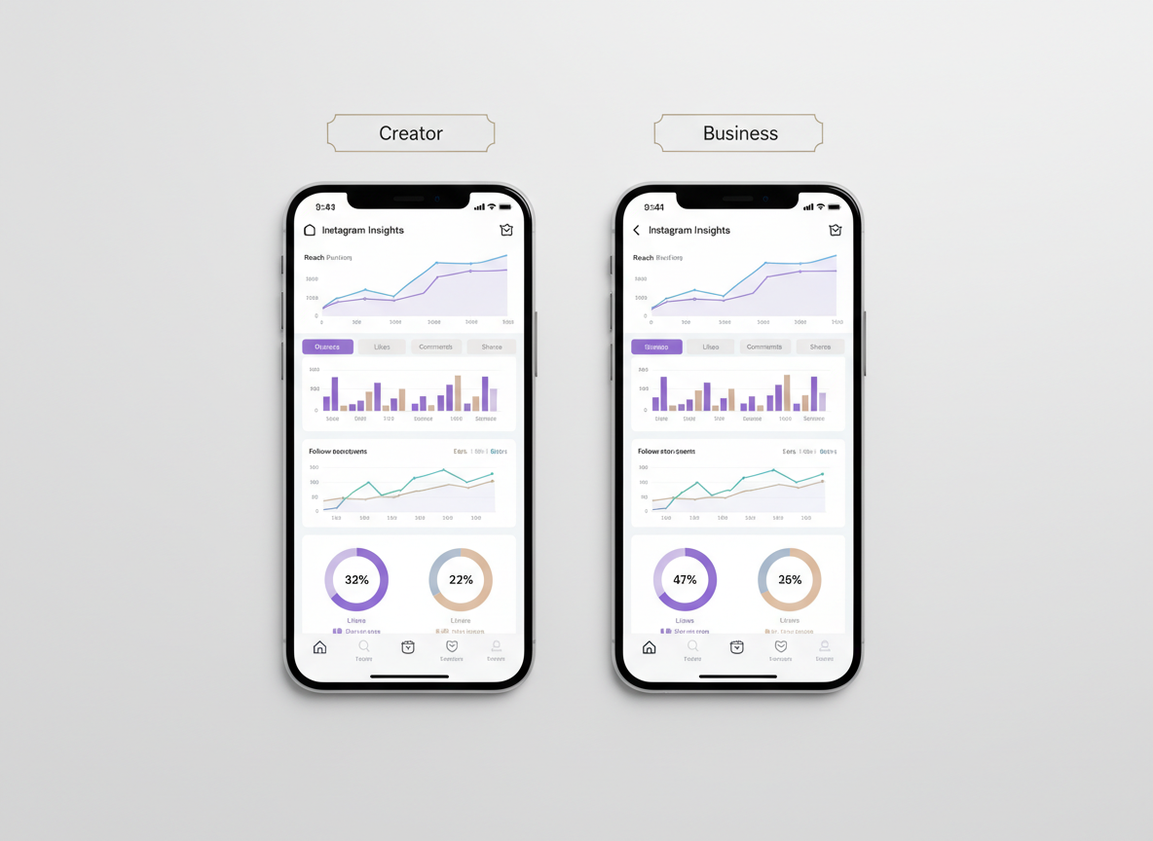
Look, the Creator vs Business Insights gap is probably smaller than you think. In 2026, they both show pretty much the same basics, reach, impressions, engagement, follower growth, audience info, and how each post did.
Where it actually changes is the “stuff around Insights” like music licensing, monetization tools, contact buttons, ads, and which third-party tools play nicely with your account. That’s the part that ends up affecting how you work day to day.
I’ve flipped accounts back and forth more times than I wanna admit, mostly while troubleshooting why a client’s reporting looked “off.” Here’s the thing. I’ll walk you through what’s actually different, what’s the same, and how to choose without spiraling over it.
TL;DR: Creator and Business Instagram accounts offer similar core insights, including reach and engagement metrics, but differ in features that impact day-to-day operations. Creators tend to get stuff like subscriptions and a few monetization options. Businesses, on the other hand, usually get the more sales-y tools, like ads and lead forms. Honestly, pick the account type based on what you need it to do, not just what the Insights page looks like.
Quick side by side, Creator vs Business. What’s the same in Insights?
If analytics is what you’re worried about, you can probably relax. Creator and Business accounts both show the same big buckets inside the Professional Dashboard:
- Account-level performance: accounts reached, accounts engaged, total followers, and follower change over time
- Content performance: per-post reach, likes, comments, shares, saves, profile activity, and content-type splits (Reels vs posts vs Stories)
- Audience info: top locations, age ranges, gender, and active times (when available)
And no, switching from Business to Creator doesn’t magically boost your reach. I’ve tested this on multiple accounts (small and mid-size) and saw the same “content wins when it wins” pattern either way. The algorithm doesn’t seem to hand out bonus points for a label.
What’s different (still related to how you use Insights)
The differences show up in workflow and features that sit next to Insights:
- Creator accounts: tend to get creator-focused features like subscriptions and marketplace-style tools, plus more flexibility around category labels.
- Business accounts: lean into ads, lead capture, contact buttons, and integrations that teams rely on.
That stuff matters because it changes what you can measure. For example, if you’re running lead forms or catalog clicks, Business features give you cleaner “did this generate money?” signals.
How Instagram Insights “works” under the hood (and why both account types look similar)
Instagram Insights is basically a reporting layer on top of your account’s content delivery and interactions. Instagram logs impressions, reach, engagements, and follows/unfollows as events, then rolls them up into dashboards by time window and by content item.
That’s why Creator vs Business looks so similar: both are “professional” account types pulling from the same event stream. The differences aren’t really in what Instagram can measure. They’re in what Instagram lets you do with the account (music rights, contact options, ad tooling), which then changes what outcomes you care about.
Here’s a counterintuitive one: you’d think Creator accounts would get “better” insights because Instagram wants creators happy. But in practice, Instagram has been moving toward one unified analytics experience for professional accounts, because it reduces support issues and keeps reporting consistent for advertisers and creators alike.
Features that cause the real “Creator vs Business” decision (with examples)
Creator: better for personal brands and monetization workflows
Creator accounts are usually the smoother fit for influencers, coaches, artists, and anyone whose brand is basically their face and voice. Things I’ve repeatedly seen creators care about:
- Trending audio access (non-ad use): Creator accounts often feel less boxed-in than Business accounts on music choices.
- Creator monetization features: subscriptions, badges, and marketplace-style options (availability varies by region and eligibility).
- Category label control: you can often hide the category label, which sounds cosmetic, but some creators swear it affects profile conversion.
Lived detail: on a larger creator account I helped manage (100k+), Insights took longer to “settle” after big viral spikes, especially follower growth charts. It wasn’t wrong, it was just laggy for a bit, which made people panic. Been there.
Business: better for ads, lead-gen, and team operations
Business accounts are the boring choice. And boring is good when you’re trying to scale.
- Ads + Meta tooling: Business accounts are built for running campaigns and measuring outcomes cleanly.
- Contact buttons and business info: address, call/email buttons, “Order” style CTAs (depending on setup).
- Tool compatibility: more third-party platforms support Business workflows.
If you’ve ever tried to schedule content across multiple client accounts, you know the pain: some tools behave differently depending on account type. NapoleonCat’s breakdown matches what I’ve run into in the wild: Business tends to be the safer bet when you depend on external moderation/scheduling platforms.
2026 Insights updates that matter (and why you should actually look at them)
Instagram finally shipped improvements that make the dashboards less vague. Both Creator and Business accounts benefit.
- Post-level follower growth: seeing which post actually drove net follows is huge, because “reach” alone can be a vanity trap.
- Engagement timing: better visibility into when engagement happens, not just totals.
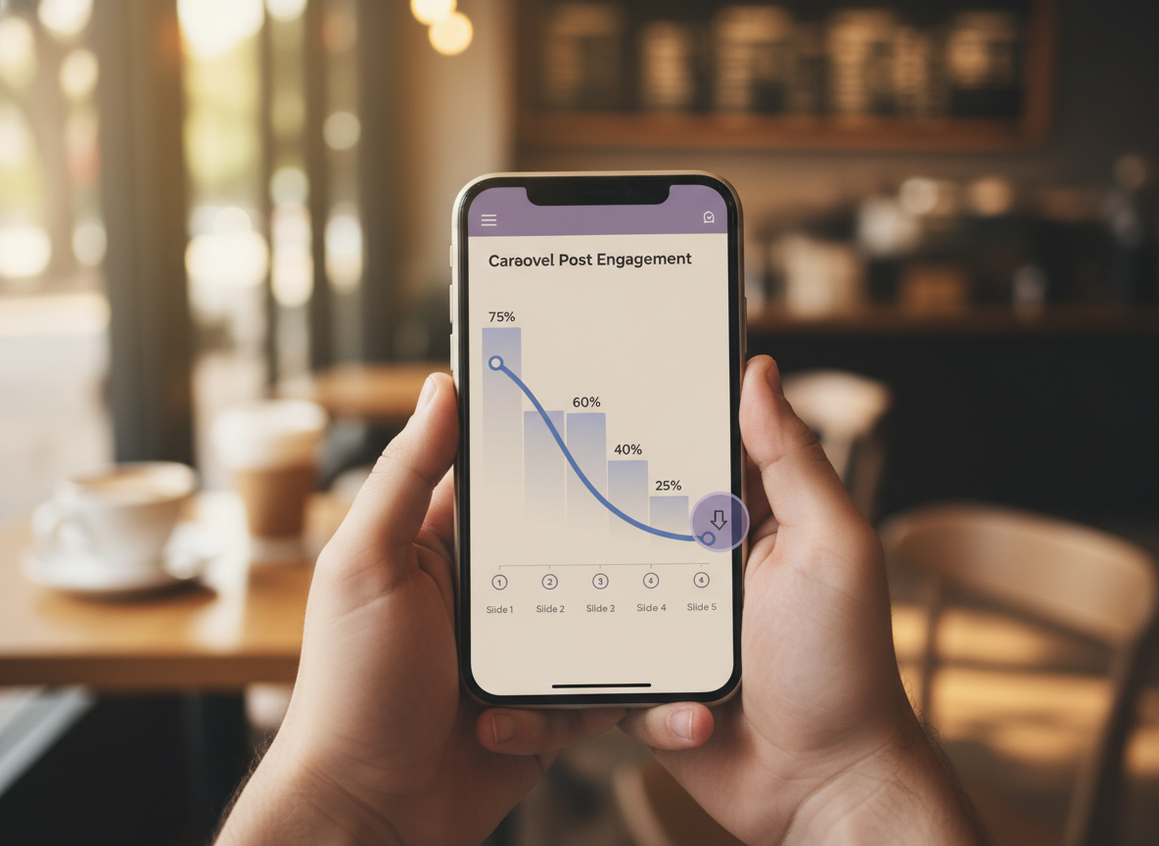
- Carousel slide data: this is the sleeper feature. Some carousels “look” successful, but you’ll find people drop off by slide 3.
I’ve watched creators change their whole carousel style after seeing slide-by-slide drop-off. Shorter intros, faster payoff. Immediate improvement. The recent Insights reporting changes have been pushing in that direction for a while, and 2026 made it way more usable.
Failure modes: where Insights comparisons fall apart
This is where people get mad, and honestly I get it.
- Insights “missing days” or delayed updates: after spikes (viral Reels, shoutouts, big giveaways), Insights can lag or reprocess. Don’t diagnose your strategy based on a single weird 24-hour window.
- Attribution confusion: Instagram can show that followers increased, but it won’t always tell you the true source (someone might discover you via Explore, then follow later from your profile). That lag makes content-to-follow attribution messy.
Also, if you’re comparing a Creator account to a Business account and one of them is posting ads or boosted posts, the datasets aren’t “fair.” Paid reach changes the whole shape of the graph.
So which should you pick (based on what you’re trying to measure)?
Here’s the simplest way I decide when someone asks me in real life.
- Pick Creator if your “conversion” is mainly attention: follows, shares, saves, DMs, collabs, audience trust.
- Pick Business if your conversion is measurable actions: leads, store clicks, bookings, purchases, calls.
- If you’re stuck: choose Business when you rely on external tools or multiple admins. Choose Creator when your account is basically your personal brand and you want creator features.
One more lived detail: I’ve seen people switch to Creator expecting better reach, then blame the switch when their next few posts flop. But the flop usually lines up with content changes, posting time changes, or just normal audience fatigue. It’s almost never the account type.
And if you’re trying to connect Insights to follower behavior (who left, who never engages, who’s not following back), Instagram’s native dashboard is only part of the picture. That’s why I tell people to read Instagram Insights vs Follower Trackers before they spend money or start swapping account types out of frustration.
Limitations (what Insights won’t tell you, no matter which account type you pick)
Insights won’t tell you exactly who unfollowed you, who’s a ghost follower, or which specific accounts stopped engaging over time. You get aggregates, not names.
It also won’t reliably explain “why” a post did well beyond surface metrics. You can see that saves were high, but you won’t get the real-world context (was it shared in a group chat? did another creator mention you?). Your mileage varies a lot here.
Why we built Instagram Follower Tracker for this (and where it fits next to Insights)
When people search “creator vs business instagram insights difference,” what they’re often really asking is: “Why doesn’t Instagram tell me the stuff I actually care about?” Like who bailed, who’s not following back, or whether your follower count is quietly leaking.
That’s the gap a password-free unfollower and follower-change tracker for Instagram is meant to fill. I’ve used a bunch of trackers over the years, and the sketchy ones all ask for your login or do weird automation that can get accounts restricted. Not worth it. Follower Tracker’s whole point is staying compliant and avoiding the “you just got logged out everywhere” nightmare.
What it does well: keeping a clean log of follower changes and surfacing unfollowers/non-followers in a way Insights just doesn’t. What it doesn’t do: it can’t read people’s minds and tell you the emotional reason they left, and it won’t replace ROI tracking for ads. Different job.
If you’re trying to understand what native analytics covers (and where it’s blind), these are worth a skim: what Instagram Insights tracks and what it misses, can Instagram Insights show unfollowers, and follower count changes: Insights vs tracker logs.
FAQ
Is it better to have a creator or business account on Instagram?
Neither is universally “better” for Insights because the analytics are very similar; Creator is usually better for personal brands and creator features, while Business is better for ads, lead-gen, and third-party tool workflows.
What is the difference between creator profile and business profile?
The main differences are features and permissions (music licensing, monetization tools, contact buttons, ads, and integrations), not the core Instagram Insights metrics like reach, impressions, and engagement.
What happens if I switch from business to creator on Instagram?
Your posts and followers stay the same, and you keep access to professional Insights, but you may gain creator-focused features and potentially lose some business-oriented tooling or integrations depending on your setup.
Do creator accounts get more reach than business accounts?
No consistent evidence: in my testing, reach changes track content performance and audience response more than the Creator vs Business label.
Will switching account type delete my Insights history?
Usually no, but short-term reporting can look weird for a day or two; if you’re mid-campaign, I’d avoid switching until reporting stabilizes.
Conclusion
The creator vs business Instagram insights difference is mostly about what you’re building: creators get creator-first features, businesses get business-first tools, and the Insights dashboards are close enough that you shouldn’t pick based on analytics alone.
If your biggest question is follower movement and engagement quality (not just reach charts), pair native Insights with a follower-change tool like Instagram Follower Tracker and keep your reporting grounded in what’s actually happening to your audience.

