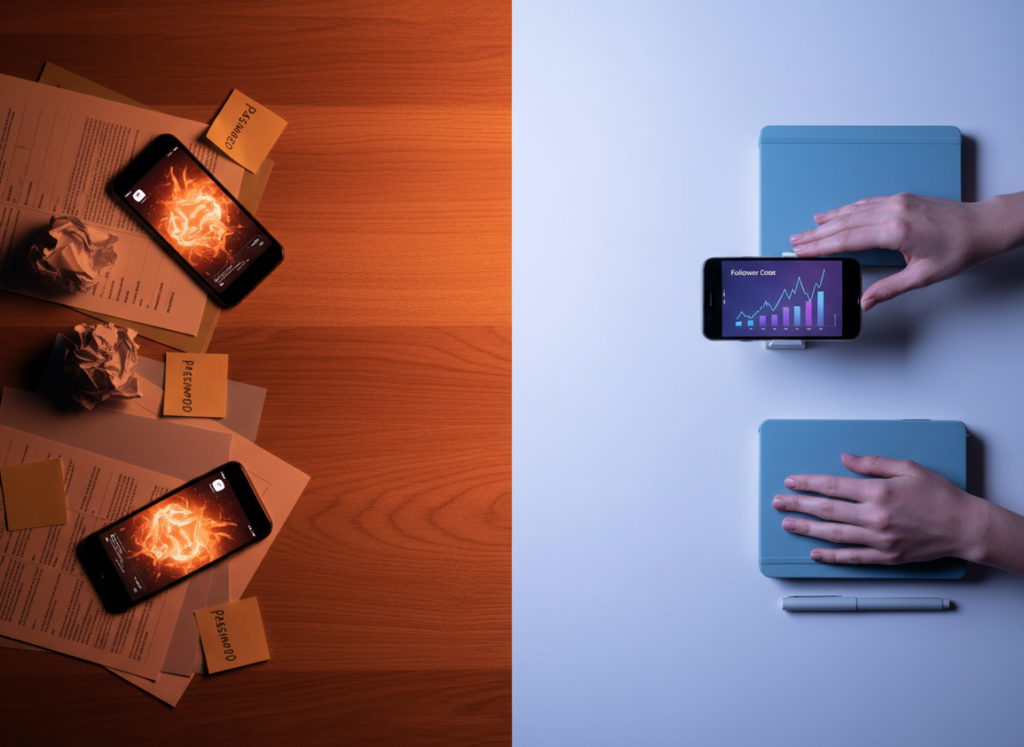
If you care about privacy, manual tracking beats most Instagram tracker apps. Full stop. But if you pick the right kind of tracker, you can get the convenience of alerts and reporting without handing over your password or putting your account at risk.
This privacy comparison is really about one question: where does your data go, and what does the tool need from you to work? Once you understand that, the “instagram follower tracker privacy vs manual” decision gets a lot less fuzzy.
I’ve tested a stupid number of follower tools over the years, from “just a spreadsheet” all the way to sketchy apps that begged for my login. Some were fine. A lot were… not. So I’m going to lay out what’s actually private, what’s performative, and what breaks in real life.
Quick verdict: manual tracking vs trackers (privacy-first view)
Manual tracking is the privacy gold standard because nothing leaves your device unless you choose to share it. The tradeoff is time, and you won’t get instant unfollow notifications without doing the work.
Trackers range from “basically safe” to “absolutely don’t.” The dividing line is simple: if it asks for your Instagram password, it’s a privacy risk and usually a Terms-of-Service risk too.
- Best for maximum privacy: Manual tracking + Instagram’s own analytics.
- Best for convenience without being reckless: Privacy-first trackers that don’t request passwords and stick to allowed data access patterns.
- Worst option: Password-sharing unfollower apps (they’re the reason people end up locked out or restricted).
What “privacy” actually means for follower tracking
People lump everything under “privacy,” but it’s really three separate buckets:
- Account security: Does this tool ever see your login credentials? Does it store tokens? Could it trigger suspicious-login flags?
- Data privacy: What data does it collect (followers, interactions, timestamps), and does it sell or share it?
- Visibility privacy: Are you trying to look at someone else’s activity or following list, and what’s even possible if they’re private?
Here’s the part most people miss: you can be “secure” but still not “private.” A tool might not steal your account, but it could still build a profile on your audience behavior. That’s not always evil, but you should know what you’re agreeing to.
How manual tracking works (and why it’s private)
The mechanics
Manual tracking usually looks like this: you record your follower count, following count, and maybe a handful of notable followers (or a full export if you’re dedicated). You keep it in Notes, Google Sheets, Excel, whatever. The reason it’s private is boring: there’s no third party in the loop.
If you want to get fancy, you log:
- Date/time (pick a consistent time, seriously)
- Followers
- Following
- Top post that day (optional, but useful)
- Any big events (collab, Reel went semi-viral, giveaway, etc.)
Lived detail from actually doing this
When I do manual logs, I always check at the same time of day. If you track at 9am one day and 11pm the next, your “unfollow spike” is often just normal daily churn that happened while you weren’t looking.
And on larger accounts, manual tracking gets annoying fast. Once you’re past 10k followers, you can still track counts easily, but tracking who unfollowed you by hand becomes a time sink you will absolutely stop doing after a week. I’ve been there.
Manual tracking privacy upside
- No password sharing. No token storage. No “oops we had a breach” email later.
- Your data stays local unless you choose to put it in the cloud.
- You control retention. Keep 2 years of data if you want.
Manual tracking privacy downside
You trade privacy for effort. Also, manual tracking is terrible at answering “who unfollowed me” unless you’re taking full follower snapshots and comparing them. That works, but it’s a grind.
If you want the deep dive on the tradeoffs beyond privacy, the pillar breakdown is worth reading: Instagram Tracker vs Manual Tracking.
How follower tracker apps work (and where privacy goes sideways)
Follower trackers typically work in one of three ways:
- Password-based login scraping: You type your IG credentials into their app. They log in “as you.” This is the danger zone.
- Session/token capture: They convince you to connect in a way that still grants them long-lived access. Less obvious, still risky.
- Public/allowed-data monitoring: They stick to data they can access without you handing over credentials, then compute changes over time.
The reason this matters is simple: the more access a tracker needs, the more it can collect, store, leak, or misuse. And Instagram is pretty aggressive about detecting suspicious automation patterns, which is why those “free unfollower apps” randomly stop working or get your account challenged.
If you’ve ever wondered why an app worked for months and then suddenly started missing unfollows, it’s usually because Instagram changed something (API, rate limits, detection), and the app is scrambling behind the scenes. That shift has broken half the tools I used to recommend back in the day. Not kidding.
Privacy comparison table (manual vs trackers)
| Factor | Manual tracking | Privacy-first tracker | Password-based tracker |
|---|---|---|---|
| Password required | No | No | Yes (huge red flag) |
| Risk of account restriction | Very low | Low (depends on method) | High |
| Data stored by third party | No | Some (varies) | Yes (and often unclear) |
| Unfollow alerts | No (manual only) | Yes (depends on scan frequency) | Yes (until it gets blocked) |
| Customization / notes | Unlimited | Medium | Low to medium |
The counterintuitive truth: “More private” can mean “less detailed”
You’d think the most private option would still give you the most insights, because you’re in control, right? But actually, the more you avoid invasive access, the fewer “personal” data points you can reliably compute.
Example: Instagram doesn’t natively provide a “this person unfollowed you at 2:14pm” event feed for regular users. So any tracker promising minute-by-minute unfollow identities is either (a) guessing between snapshots, or (b) using sketchy access methods. Sometimes both.
That’s why manual tracking feels “dumb” but stays accurate in its own lane: counts and trends. The second you want identity-level change logs in real time, privacy decisions start to matter a lot.
So what’s the safest “tracker” approach in 2026?
My baseline rule: if a tool asks for your Instagram password, I’m out. I don’t care how pretty the dashboard is.
The newer wave of tools has moved toward privacy-first setups, operating on publicly available signals or compliant connection methods, and avoiding the “login as you” model. You’ll see that trend in roundups like Axtriy’s 2026 tracking overview and activity tracker lists like Snoopreport’s tracker roundup.
And yes, I use trackers myself when I’m managing multiple accounts and don’t wanna spend my Sunday doing spreadsheet archaeology.
For a privacy-first option that’s built specifically around not collecting your password, Instagram Follower Tracker is the kind of setup I look for now. It’s the opposite of the old-school “give me your login and pray” era.
Failure modes: where each method breaks in real life
Manual tracking breaks when you’re inconsistent (and humans are inconsistent)
This falls apart when you forget to log for a few days, then panic-log three times in one afternoon to “catch up.” Your trend line turns into noise.
I’ve done this. It’s not a character flaw, it’s just life.
Trackers break when Instagram changes enforcement
Where this gets weird is during periods when Instagram tightens detection. You’ll see delayed refreshes, missing unfollow events, and random “reconnect” prompts. On small accounts it’s barely noticeable. On bigger accounts, that lag can be hours, and it makes people think they’re hemorrhaging followers when they’re not.
Also, some trackers over-poll. That’s when you start seeing “suspicious login attempt” warnings or temporary action blocks. Not fun.
Privacy-friendly hybrid setup (what I actually recommend)
If you want the best mix of privacy and usefulness, do it like this:
- Use Instagram Insights for content performance. It’s native, and it’s still the cleanest source for reach, profile visits, and follower growth windows. Instagram’s new features keep shifting, so I keep an eye on updates like the ones covered by EmbedSocial’s feature coverage.
- Manual log your baseline counts once per day or once per week. Same day, same time. I prefer weekly for sanity.
- Add a privacy-first tracker only for what manual can’t do well. Like change detection, non-followers, and alerts.
That combo keeps you out of the risky stuff while still giving you answers quickly.
If you’re specifically comparing “check manually” versus “get notified,” the sibling article goes deeper into that exact pain point: manual unfollower checks compared to tracker alerts.
Manual vs tracker privacy: the stuff people forget to ask
1) Where is the data stored?
Manual: on your device (unless you store it in a cloud sheet). Trackers: usually on their servers. If a tracker can show you month-over-month charts, that means they’re retaining history somewhere.
2) Can you delete your data?
A decent tracker will let you delete your account and wipe stored records. If the app is vague here, assume your data sticks around.
3) What’s their business model?
If it’s “free” and full of ads, your data is often part of the product. If it’s paid, you’re more likely the customer. Not always, but it’s a useful gut check.
4) Are they doing anything that looks like automation?
This is the quiet privacy and security killer. Automation increases the odds you’ll get flagged. Even if your password isn’t shared, repeated aggressive access patterns can still bring heat to your account.
Spreadsheet vs app privacy: yes, it matters
I love spreadsheets. I also hate them when I’m busy.
Privacy-wise, a spreadsheet is clean. But you still have to decide where it lives. A local Excel file is the most private. A Google Sheet is convenient, but now your tracking data is tied to your Google account and share settings.
If you want a more practical breakdown (including what I track in columns and what’s a waste of time), this sister piece is solid: spreadsheet tracking vs follower tracker apps.
Accuracy and privacy are connected (annoyingly)
People treat accuracy like a separate topic, but it overlaps with privacy. The more “private” a tracker is, the more it relies on snapshots and comparisons, which introduces timing quirks.
One specific thing I’ve noticed: if you run checks right after a Reel pops off, your follower count can climb fast, and then settle. If your tracker snapshots during the spike and again after the settle, it can look like you got a wave of unfollows. Actually, it’s just normal fluctuation.
If you want the nuts-and-bolts on how reliable manual tracking is (and where it lies to you), read: how accurate manual tracking on Instagram really is.
Limitations (what neither method will tell you)
Manual tracking won’t tell you who unfollowed you unless you’re comparing full lists, and that gets old quickly. It also won’t tell you why people left, because Instagram doesn’t provide an “unfollow reason,” and honestly, people unfollow for random reasons anyway.
Privacy-first trackers won’t magically reveal private-user data. If someone’s profile is private, a tracker can’t ethically or reliably show you hidden following changes, hidden likes, or anything like that. If a tool claims it can, that’s usually where the sketchiness starts.
Common mistakes I see (and yeah, I’ve made some of them)
- Handing over passwords to “unfollower” apps. I did this once years ago on a throwaway account to test. It worked… until it didn’t. Then the account got challenge-locked and it was a whole mess.
- Obsessing over churn instead of engagement. Watching one person unfollow can spiral your brain. I’ve watched creators lose sleep over it. Not worth it.
- Tracking at random times. This is the quickest way to convince yourself your account is “dying” when it’s just normal daily movement.
- Expecting the same growth rate at every size. Under 1k followers, growth can be wild. Over 100k, it slows down. That’s normal, not a shadowban conspiracy.
Okay, small tangent: buying followers is still the fastest way to ruin your engagement quality. And it messes up tracking too, because you’ll see weird spikes and purges that have nothing to do with your content.
Instagram privacy settings that matter for tracking
Instagram’s privacy settings affect what you can see and what others can see about you. The basics matter most:
- Private account: non-followers can’t see your posts, and they can’t inspect your audience the same way.
- Activity visibility controls: Instagram keeps adjusting what actions are visible and to whom, which changes what third-party “activity trackers” can honestly claim to report.
- Blocked/restricted accounts: these can create weird “disappearing” edge cases where you think someone unfollowed, but they actually blocked you or restricted visibility.
If your goal is privacy, the simplest move is tightening your own settings and being selective about tools that ask for any kind of account access.
FAQ
How to check someone’s Instagram following if it’s private?
You can’t see a private account’s following list unless they approve your follow request. Any app claiming it can bypass that is either misleading you or using risky methods.
What are the different privacy settings on Instagram?
The big ones are private vs public account, story visibility, message controls, and block/restrict features. Those settings determine what strangers can see and what data is even available to trackers.
Is manual tracking safer than using a follower tracker app?
Yes, from a privacy standpoint manual tracking is safer because you don’t share data with a third party. The tradeoff is you lose automation like alerts and non-follower lists.
Can Instagram ban you for using follower tracker apps?
Instagram is more likely to restrict or challenge accounts that use password-sharing or aggressive automation. Privacy-first tools that don’t require your password are generally lower risk, but nothing is zero-risk if a tool behaves like a bot.
Will a tracker tell me exactly who unfollowed me instantly?
Some tools can detect unfollows quickly, but it’s usually based on frequent snapshots, not a native “unfollow event.” Timing can be off, especially during high-growth days.
Conclusion: choosing between privacy and convenience (without regretting it)
If you want the cleanest privacy story, manual tracking wins. If you want convenience, pick a tracker that doesn’t ask for your password, doesn’t behave like automation, and is upfront about what it can and can’t see.
That’s the real “instagram follower tracker privacy vs manual” answer: manual is safest, privacy-first trackers are the practical middle, and password-based apps are the regret category.
If you’re trying to keep things simple while still getting useful audience visibility, Instagram Follower Tracker is the kind of privacy-first approach I’d point friends to, especially when they’re tired of guessing who left and when.

